
Desktop PCs for Office and Business Use
Desktop PCs designed for office work provide stable performance, efficient multitasking and reliable day-to-day operation. These systems are suitable for administrative tasks, business applications and professional environments where consistency and productivity are essential.
Options include configurations with different processors, memory and storage capacities to match various workloads. Whether equipping a small office or scaling a larger team, these desktop PCs support smooth workflows and long-term use.






How to Choose the Right Desktop PC for Office use
Before selecting an office desktop, consider the type of workloads your employees handle, required performance level, available workspace, and future upgrade needs. A well-chosen PC boosts productivity and keeps day-to-day operations running smoothly.
1. Match the PC to your daily tasks
Light office work (email, spreadsheets, browsing) requires different hardware than heavy multitasking, large databases, or frequent conferencing. Define your workload first—this prevents overspending while ensuring you get the right performance level.
2. Choose the appropriate processor (CPU)
For most office environments, Intel Core i3 / i5 or AMD Ryzen 3 / 5 are ideal. They provide excellent speed for everyday tasks without unnecessary power consumption. For advanced workloads or multitasking-heavy roles, Core i7 / Ryzen 7 models offer more headroom.
3. Ensure enough RAM for smooth multitasking
Office systems perform best with 8–16GB of RAM.
-
8GB → basic office tasks
-
16GB → heavy multitasking, large spreadsheets, cloud tools, multiple apps open
More RAM keeps the system fast and responsive throughout the workday.
4. Storage type makes a big difference
Always choose SSD storage.
-
NVMe SSDs offer the fastest boot times and instant responsiveness.
-
256–512GB is usually enough for office use unless you store large local files.
If needed, pair SSD + HDD for additional storage.
5. Form factor and workspace
Office setups vary, so choose a PC size that fits:
-
All-in-One: Clean and space-saving, ideal for minimal workspaces.
-
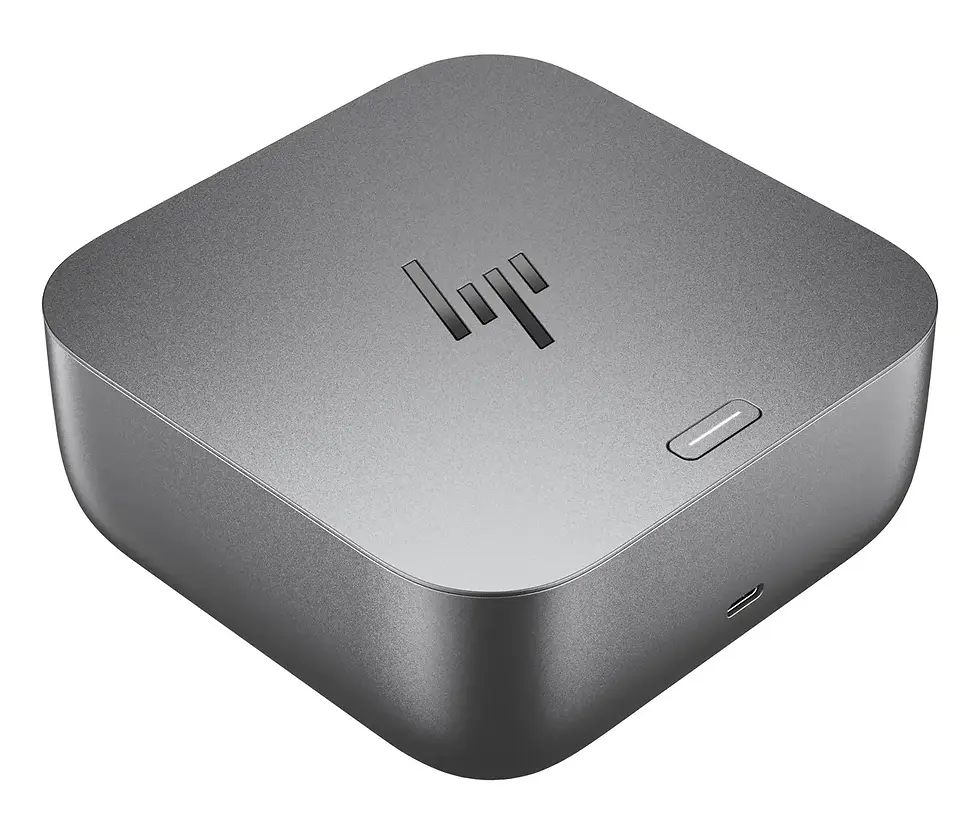
Mini PCs: Compact, energy-efficient, easy to place anywhere.
-
Tower desktops: Best for expandability, cooling, and long-term upgrades.
6. Connectivity & ports
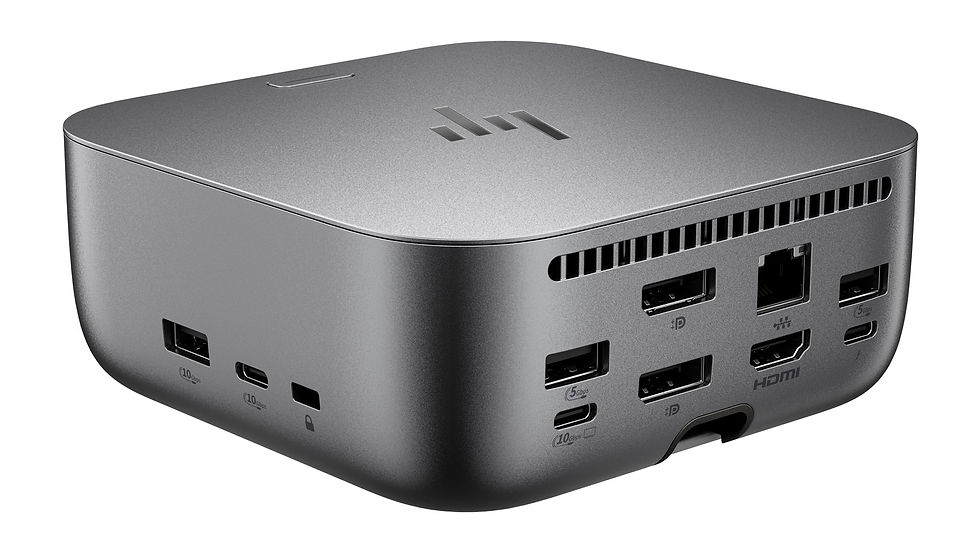
Check that the PC has enough ports for monitors, keyboards, peripherals, and network setups. Essential ports include USB-A, USB-C, HDMI or DisplayPort, Ethernet, and audio jacks. Built-in Wi-Fi and Bluetooth add flexibility for modern offices.
7. Reliability, warranty, and business support
Office desktops should be stable and low-maintenance. Look for brands known for business reliability (Lenovo, HP, Dell, MSI) and ensure your chosen model includes solid warranty coverage and easy access to support if needed.
8. Upgrade options for future needs
A system that allows RAM, storage, or component expansion can extend its lifespan and reduce long-term costs. Tower models typically offer the most upgrade potential.
Summary
Choosing the right office desktop PC ensures reliable performance, smooth multitasking, and long-term efficiency for your team or workplace.
You might like





FAQ – Desktop PC for Office use
1. What type of desktop PC is best for office work?
For typical office tasks like email, spreadsheets, video calls, and document editing, a desktop with an Intel Core i3/i5 or AMD Ryzen 3/5, 8–16GB RAM, and an SSD is usually the ideal choice. These systems provide fast, reliable performance without unnecessary cost.
3. How much RAM do I need for office work?
Most offices run best with 8GB of RAM for basic tasks and 16GB for deeper multitasking, large spreadsheets, or cloud applications. More RAM improves responsiveness and keeps the system smooth during busy workdays.
5. Are mini PCs powerful enough for office tasks?
Yes. Modern mini PCs provide excellent performance for everyday office use. They’re compact, energy-efficient, and suitable for desks with limited space. Just ensure they have enough RAM, a fast SSD, and the connectivity your setup requires.
7. How important are ports and connectivity on office desktops?
Very important. Ensure the system includes a good mix of USB-A, USB-C, HDMI/DisplayPort, Ethernet, and audio ports. Built-in Wi-Fi and Bluetooth simplify wireless device management. Multiple monitor support is also helpful for productivity.
2. Is an All-in-One PC good for office use?
Yes. All-in-One PCs save desk space and reduce cable clutter, making them excellent for clean and efficient office environments. They perform well for general productivity tasks, though tower desktops offer more upgrade options.
4. Should I choose SSD or HDD storage for an office PC?
Always choose an SSD, ideally NVMe. SSDs significantly improve boot times, file loading, and overall system responsiveness. HDDs are slower and mainly useful for large archival storage, not daily work tasks.
6. What processor should I choose for office employees?
For most employees, an Intel Core i3/i5 or AMD Ryzen 3/5 is ideal. For power users who run multiple heavy apps or data tools, a Core i7 or Ryzen 7 is a better fit. Choosing the right CPU helps keep the system efficient and responsive.
8. Can office desktops be upgraded in the future?
Most tower desktops allow upgrades to RAM, storage, or graphics. Mini PCs and All-in-Ones offer limited expandability but still allow RAM or SSD upgrades in some models. Choosing a system with future upgrade options can save money long-term.