
Printers for Home and Office Use
Printers support everyday document, photo and business printing with reliable performance and consistent output. From compact inkjet models for home use to laser printers designed for higher workloads, different options suit a wide range of needs.
Suitable for home offices, businesses and study environments, modern printers offer wireless connectivity, multifunction features and efficient operation for daily use.


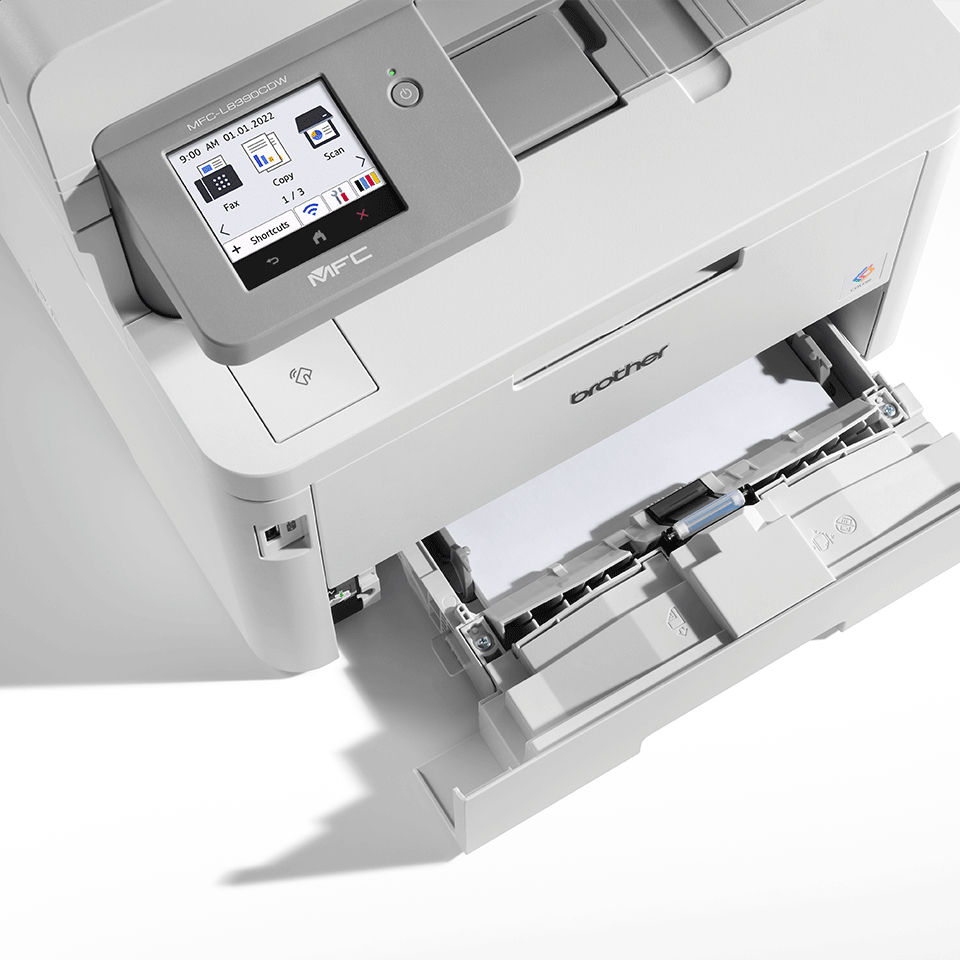


How to Choose the Right Printer
Choosing the right printer depends on what you print, how often you print, and the quality you expect. Below are the key factors that help you find the best model for your home or office.

1. Identify your printing needs
Decide whether you mainly print documents, photos, labels, or mixed content. Office users benefit from fast laser printers, while home users may prefer compact inkjet models.
2. Inkjet vs. laser printer
Inkjet printers deliver vibrant photo-quality prints and are ideal for creative tasks. Laser printers offer high-speed, cost-efficient printing for documents and business use.
3. Single-function or multifunction (MFP)
If you need scanning, copying, and sometimes faxing, choose a multifunction printer. For simple document printing, a single-function model is sufficient and often cheaper.
4. Print speed and volume
Check the pages-per-minute (PPM) and monthly duty cycle. High-speed models are essential for offices with frequent printing to avoid workflow delays.

5. Print resolution & quality
Look at DPI (dots per inch). Higher DPI produces sharper images and more detailed documents. Photographers and designers should prioritize high-resolution inkjets.
6. Connectivity options
For modern workflows, ensure the printer supports Wi-Fi, mobile printing (AirPrint, Google Print), USB, and sometimes Ethernet for office networks.
7. Running costs
Consider the long-term cost of ink or toner. Laser printers typically have a lower cost per page, while inkjets may require more frequent cartridge replacement.
8. Paper handling features
Automatic duplex printing, multiple paper trays, and support for envelopes, labels, or glossy paper improve convenience and reduce manual tasks.
Summary
Choose a printer that matches your printing habits, budget, and performance needs. A well-chosen model improves productivity, reduces costs, and delivers consistently high-quality results.
You might like




FAQ – Printers
1. Which printer is better for home use: inkjet or laser?
Inkjet printers are great for photos and mixed printing, while laser printers are better for fast and economical document printing.
3. Are multifunction printers worth it?
Yes — MFPs combine printing, scanning, copying, and sometimes faxing, making them ideal for both home offices and business environments.
5. How often do printers need new cartridges or toner?
It depends on usage, but laser toner typically lasts much longer than inkjet cartridges, especially for high-volume printing.
7. What DPI is good for photo printing?
For professional-level photos, 1200 DPI or higher is ideal. For general use, 600 DPI is more than enough.
2. What is the difference between an inkjet and a laser printer?
Inkjet printers use liquid ink and offer excellent color accuracy. Laser printers use toner and are faster, more durable, and cost-efficient for text documents.
4. How do I choose a printer for my office?
Look for fast print speeds, low cost per page, high duty cycle, wireless connectivity, and strong document-quality performance.
6. Do modern printers support mobile and wireless printing?
Most new printers support Wi-Fi, Wi-Fi Direct, AirPrint, and cloud printing, making them easy to use with laptops, tablets, and smartphones.
8. What is duplex printing and why is it useful?
Duplex printing means the printer can automatically print on both sides of the paper. It saves time, reduces paper usage, and gives documents a more professional look.