
B650 vs B650E vs X670E vs X870 vs X870E vs B850: What Actually Changes (and what’s marketing) — 2026 Guide
Updated: Dec 21, 2025
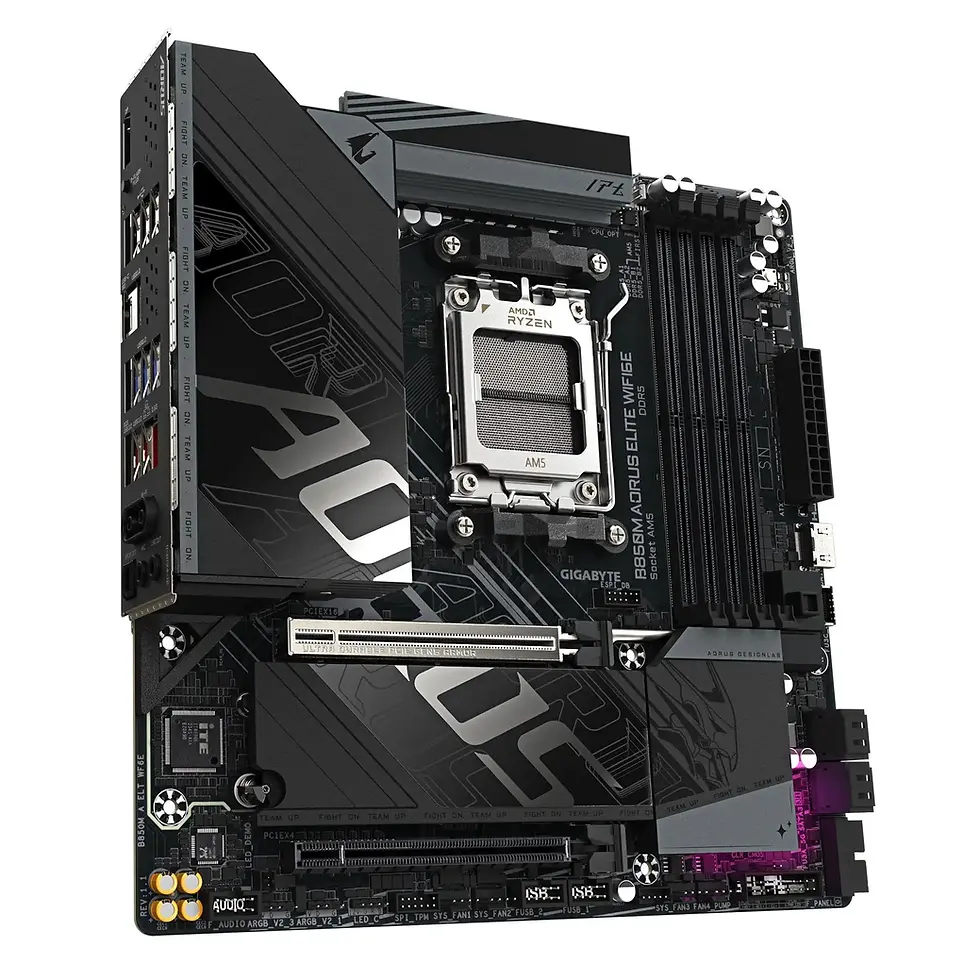
Why chipset names got confusing in the first place
On AM5, the chipset label often looks like it should tell you everything — “X870E must be way better than B650, right?” In reality, a lot of modern motherboard performance and features come from the CPU’s PCIe lanes and the board’s design, not the chipset badge alone. That’s why you’ll see forum debates where two boards with different chipsets feel oddly similar in day-to-day use.
In 2026, you can buy the wrong motherboard in two classic ways:
You overspend for features you’ll never use.
You underspend and get a board that limits your storage, USB, or upgrade path.
This guide explains what truly changes between B650, B650E, X670E, X870, X870E, and B850 — and what’s mostly branding.
The 60-second answer
If you want the quick recommendation:
B650: Best value if you don’t care about PCIe 5.0 for the GPU and want a stable AM5 entry point.
B650E: The safest “future-proof” choice for most users, mainly because of PCIe 5.0 support for the main GPU slot.
X670E: Designed for users who need more high-speed connectivity and expansion flexibility.
X870 / X870E: Updated AM5 boards focused on modern connectivity like USB4 and newer board designs.
B850: The new mainstream AM5 direction for 2026, offering modern baseline features without X-series pricing.
For most new AM5 builds, B650E or B850 will be the most balanced choice.
What the chipset actually controls (and what it doesn’t)
What the chipset mainly affects
Extra connectivity such as additional USB ports and SATA ports
How many secondary PCIe devices and controllers a board can support
Overall I/O flexibility beyond what the CPU provides
What the chipset does not guarantee
VRM quality and cooling
Memory stability and EXPO success
Audio quality, LAN controller quality, or Wi-Fi reliability
Guaranteed PCIe 5.0 behavior on the GPU slot
This is why two boards with the same chipset can perform very differently in real use.
The “E” suffix explained (B650E, X670E, X870E)
The E designation mainly signals stronger expectations around PCIe 5.0 support, especially for the primary GPU slot.
B650 boards usually focus on PCIe 4.0 for the GPU slot, with PCIe 5.0 sometimes reserved for storage.
B650E boards are positioned to remove uncertainty by supporting PCIe 5.0 on the main x16 slot.
This doesn’t mean every non-E board is bad — but E-series boards reduce guesswork.
B650: who it’s best for in 2026
B650 remains a solid option for value-focused AM5 builds.
Choose B650 if
You want AM5 at the lowest reasonable cost
You don’t care about PCIe 5.0 for GPUs
You prefer spending budget on CPU or GPU instead
Avoid B650 if
You want guaranteed long-term expansion flexibility
You plan to keep the board through multiple GPU generations
B650E: the smart middle ground
B650E exists for users who want AM5 without second-guessing GPU compatibility later.
Choose B650E if
You want PCIe 5.0 on the primary GPU slot
You plan long-term upgrades
You want fewer hidden compromises
For many builders, B650E is the safest “buy once, forget about it” option.
X670E: when extra connectivity matters
X670E is for users who genuinely benefit from more platform flexibility.
Choose X670E if
You use multiple NVMe drives
You need richer rear I/O
You run creator, development, or workstation-style setups
X670E doesn’t automatically deliver higher performance — it delivers more headroom.
X870 and X870E: what’s actually different
X870-series boards focus on modern I/O expectations rather than raw performance gains.
Why people choose X870 / X870E
USB4 support is commonly included
Board designs are newer and more refined
Fewer “missing feature” surprises
If you don’t need USB4 or advanced external connectivity, these boards can be unnecessary.
B850: why it matters in 2026
B850 is positioned as the new mainstream AM5 platform.
Choose B850 if
You’re building a new AM5 system in 2026
You want modern baseline features without premium pricing
You want better long-term availability
Important nuance
Feature availability still depends heavily on the exact board model — not just the chipset name.
The buying checklist that beats chipset marketing
1. Count your M.2 needs
Think about how many NVMe drives you’ll realistically use in the next few years.
2. Check lane sharing
Many boards disable certain ports when others are in use — this matters more than the chipset name.
3. Decide on PCIe 5.0 importance
Most users don’t need it today, but some want peace of mind for future GPUs.
4. Prioritize VRM quality
A well-designed VRM matters more for stability than a higher chipset tier.
5. Be honest about USB4
USB4 is powerful — but only if you’ll actually use it.
Recommended picks by buyer type
Value gaming build: B650 with strong VRM
Most AM5 builds: B650E or B850
Creators & heavy peripherals: X670E or X870-series
Choosing the right components overall matters more than chasing a specific chipset name.
FAQ – AM5 Chipsets Explained
Is B650 obsolete in 2026?
No. It’s still usable, but newer platforms like B850 are becoming the mainstream focus.
What does the “E” actually mean?
It mainly signals stronger PCIe 5.0 expectations, especially for the GPU slot.
Do gamers need X-series chipsets?
Usually no. Most gaming systems run perfectly on B-series boards.
Is X870 always better than X670?
Not automatically. Board design matters more than chipset generation.
Should I choose chipset or VRM quality first?
VRM quality often matters more for long-term stability and upgrades.
Does PCIe 5.0 matter for GPUs right now?
Not much today, but some buyers want it for long-term reassurance.
Is B850 better than B650E?
It depends on the specific board. Both can be excellent choices.
Final thoughts
Chipset names are guides, not guarantees. In 2026, the smartest motherboard choice comes from matching features, connectivity, and power delivery to your real needs — not buying the highest chipset badge.
Most users will be happiest with a well-designed B650E or B850 board rather than chasing X-series marketing.






























Comments