
The Office Chair Test: How to Choose the Right Chairs Before Furnishing an Entire Office

Choosing office chairs for an entire workplace is not the same as buying one chair for yourself.
A chair that feels comfortable to one employee may be too deep, too high, too firm or too restrictive for another. A model that performs well during a five-minute showroom demonstration may become uncomfortable after four hours of concentrated work. Even a chair with an impressive specification can fail if employees do not understand how to adjust it.
This is why companies should not select office chairs from photographs, specifications or a single manager’s preference.
The safer method is to shortlist five to seven chairs, place them in the real workplace and ask a representative group of employees to test them through normal working days.
The objective is not to find the chair that receives the most enthusiastic first impression. It is to identify a dependable seating system that accommodates different bodies, tasks and rooms while remaining durable, serviceable and financially sensible.
This guide explains how to run that office chair test, what employees should evaluate, how to compare conventional ergonomic chairs with active-seating alternatives and how to make a final purchasing decision before furnishing ten, fifty or several hundred workstations.
The Short Answer: How Should a Company Choose Office Chairs?
Before placing a large office-chair order, a company should:
Define who will use the chairs and what work they perform.
Establish the required adjustment range, durability, warranty and budget.
Shortlist five to seven relevant models rather than dozens of unrelated chairs.
Include employees with different heights, proportions and working styles.
Install the test chairs at real desks.
Teach every tester how to adjust each chair.
Test every conventional task chair for at least one complete working day.
Collect feedback after the initial adjustment, after two hours and at the end of the day.
Score ergonomic fit separately from appearance, brand and first impressions.
Compare warranty, replacement parts, cleaning, delivery and total ownership cost.
Select one primary task chair and, when necessary, one alternative model.
Use active seats and sit-stand stools for appropriate rooms rather than forcing them into every workstation.
A company should usually test different configurations and ergonomic approaches—not simply seven chairs that look almost identical.
A balanced shortlist might include:
Trial position | Chair type | Purpose |
1 | Medium-back ergonomic task chair | General office work and shared desks |
2 | High-back ergonomic task chair | Additional upper-back coverage |
3 | High-back chair with headrest | Reclining, calls and varied working positions |
4 | Alternative ergonomic task chair | Different seat, backrest and mechanism |
5 | Second alternative task chair | Wider fit range or different price level |
6 | Sit-stand stool | Standing desks and flexible work areas |
7 | Active-sitting chair | Optional movement-focused seating |
Standesk’s office-chair collection includes conventional ergonomic task chairs, active-sitting stools and sit-stand seating for height-adjustable workstations:
Why Office Chair Selection Is a Business Decision
An office chair is not merely another item of furniture.
Employees may use it for several hours every working day. The chair affects how easily a workstation can be adjusted, how freely the user can change position and whether the employee can work without constantly noticing the seat, backrest or armrests.
For a company, the consequences of choosing poorly multiply quickly.
If one employee dislikes a chair, the problem is inconvenient. If fifty employees receive the same unsuitable chair, the company may face:
repeated complaints;
requests for individual replacements;
inconsistent workstation arrangements;
unused chairs placed in storage;
avoidable returns;
time spent by HR, facilities and management;
difficulty accommodating shorter or taller employees;
extra purchasing and delivery costs;
premature replacement of chairs that were never a good fit.
The lowest purchase price therefore does not necessarily produce the lowest cost.
A more useful calculation includes:
purchase price;
delivery and installation;
expected service life;
warranty coverage;
availability of replacement components;
time required to adjust the chair;
cleaning and upholstery maintenance;
suitability for shared workstations;
number of employees the chair can accommodate;
probable need for alternative models;
cost of correcting an unsuitable company-wide order.
A structured chair trial costs less than discovering the mistake after every workstation has been furnished.
Why One Office Chair Cannot Fit Every Employee Perfectly
The phrase “best office chair” is convenient for search engines and product rankings, but it oversimplifies the problem.
Employees differ in more than height and weight. They may have different:
thigh lengths;
hip widths;
lower-leg lengths;
shoulder widths;
lumbar positions;
preferred recline resistance;
sensitivity to seat pressure;
tolerance for pronounced lumbar support;
working postures;
desk heights;
daily tasks;
preferences for mesh or upholstered surfaces.
Two employees of the same height may still need different seat depths. One may appreciate a strong lumbar contour while the other experiences it as pressure. One may regularly recline during calls, while another spends much of the day leaning slightly forward toward detailed work.
This does not mean a company needs a different chair for every person.
A well-adjustable commercial chair should accommodate a broad range of users. The trial is intended to discover how broad that range actually is and where a second option may be needed.
The Practical Two-Chair Strategy
For many workplaces, the best result is not one universal winner. It is:
one primary task chair that suits most employees and workstations;
one approved alternative for people outside the primary chair’s comfortable adjustment range;
a limited number of active-seating options for standing desks, project rooms and flexible spaces.
This approach keeps purchasing, visual consistency and maintenance manageable without pretending that every employee has the same body.
Shared Workstations Need Simpler Adjustments
A chair for an assigned workstation can offer detailed adjustments because the same employee uses it every day.
A chair for a hot desk has a different requirement: adjustments must be easy to find, understand and repeat.
A highly adjustable chair provides little value if employees cannot identify the controls or need ten minutes to configure it every morning.
For shared workstations, the test should therefore score:
how quickly the chair can be adjusted;
whether controls can be identified while seated;
whether settings cover noticeably different users;
whether the mechanism works well without precise tuning;
how easily the chair returns to a neutral starting position.
How Many Office Chairs Should a Company Test?
Five to seven models is usually a practical range.
Testing only two chairs creates a narrow comparison. Employees may select the less unsuitable model without experiencing a genuinely appropriate alternative.
Testing fifteen or twenty chairs creates the opposite problem. The process becomes difficult to schedule, testers forget earlier models and small differences receive more attention than the requirements that matter.
A shortlist of five to seven chairs is broad enough to compare distinct approaches while remaining manageable.
What the Shortlist Should Contain
The trial should normally include:
two or three variations of the likely primary task-chair family;
one or two chairs from another manufacturer;
one model serving a different body-size range or budget;
one active-sitting or sit-stand option when relevant to the workplace.
For example, an office considering the Interstuhl EVERY range could test three configurations:
Interstuhl EVERY EV211;
Interstuhl EVERY EV212;
Interstuhl EVERY EV213.
These models provide a useful controlled comparison because they belong to the same family but offer different backrest arrangements.
The Interstuhl EVERY EV211 is the medium-high mesh-back option:
The Interstuhl EVERY EV212 uses a high mesh backrest:
The Interstuhl EVERY EV213 adds a headrest to the high-back configuration:
The test can then add one or two Dauphin office chairs to introduce a different ergonomic design, seat construction or movement mechanism.
An Aeris Muvman or Aeris Swopper may occupy the sixth or seventh position when the office also wants to evaluate active sitting and supported standing.
Those active products should not be judged as direct replacements for every conventional task chair. They solve a different workplace problem and require a separate evaluation method.
Define the Workplace Before Choosing the Chairs
The chair shortlist should begin with the workplace, not the catalogue.
A company first needs to understand who will use the seating, where it will be placed and how long each sitting session normally lasts.
Identify the Users
Create a basic picture of the employee population without collecting unnecessary personal information.
Relevant considerations include:
approximate height range;
whether the team includes particularly short or tall users;
range of body proportions;
number of assigned and shared workstations;
employees who already use specialist ergonomic equipment;
typical working hours;
balance between concentrated computer work, meetings and movement;
frequency of remote and office work.
The testing group should reflect this variety. Selecting five employees of similar height from the same department will not reveal whether a chair fits the broader workforce.
Identify the Work
The appropriate chair may differ between:
focused computer work;
customer service;
administrative work;
design and technical work;
meeting rooms;
reception areas;
project spaces;
laboratories;
standing-desk workstations;
hot-desking zones;
executive offices;
training rooms.
A chair that performs well for uninterrupted eight-hour desk work may be unnecessarily complex for a meeting room. A simple chair that works in a forty-minute meeting may be inappropriate for an employee spending most of the day at a computer.
Identify the Environment
The physical workplace also affects the decision.
Record:
desk height;
whether desks are fixed or height-adjustable;
available space behind each workstation;
floor type;
workstation density;
cleaning requirements;
temperature and ventilation;
acoustic requirements;
whether armrests must fit beneath the desktop;
whether chairs are frequently moved between rooms.
Castors should suit the floor. Armrests should not collide with the desk. The chair should fit the workstation without obstructing walkways or neighbouring employees.
For height-adjustable workstations, a conventional ergonomic chair remains important for seated work. A complementary seat such as the Aeris Muvman can give employees another position between conventional sitting and unsupported standing.
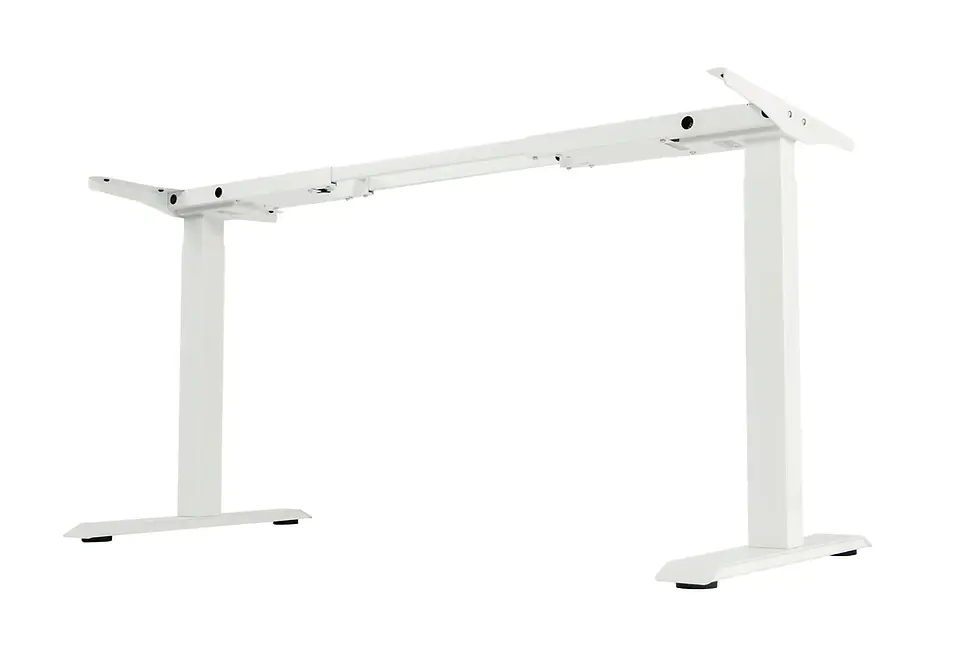
Standesk’s height-adjustable desk frames can be viewed here:
Establish the Requirements Before Inviting Suppliers
Without a written requirement list, the trial can become a competition based on appearance, brand familiarity or whichever chair felt softest during the first ten minutes.
Separate the requirements into three levels.
Mandatory Requirements
These are conditions a chair must satisfy to remain in the trial.
Examples include:
suitable seat-height range;
adjustable seat depth;
appropriate backrest support;
functional synchronous movement;
suitable armrest adjustment;
stable five-point base;
castors matched to the flooring;
stated user-weight suitability;
required commercial warranty;
availability in the required quantity;
acceptable delivery schedule;
replacement components or service support;
upholstery suitable for the environment.
The exact list will depend on the workplace. A headrest, for example, should not automatically be mandatory simply because it appears more premium.
Preferred Requirements
These help distinguish between chairs that satisfy the essentials.
Examples include:
breathable mesh backrest;
wider upholstery selection;
easier adjustment for hot desks;
optional lumbar configurations;
environmental documentation;
replaceable seat or arm pads;
longer warranty;
lower maintenance requirements;
matching meeting-room products;
colour options consistent with the interior.
Optional Requirements
These may improve the experience but should not override fit, durability or ease of use.
Examples include:
polished base;
headrest;
coat hanger;
premium upholstery;
visual customisation;
additional tilt settings;
decorative colour combinations.
This classification prevents an optional feature from outweighing an essential ergonomic requirement.
How to Build the Five-to-Seven-Chair Shortlist
Every chair in the trial should have a reason for being there.
Do not add products simply to reach a target number.
A useful shortlist compares different solutions to the same workplace requirements.
Three Core Task-Chair Configurations
The first three positions can compare variations within the most promising chair family.
The Interstuhl EVERY EV211, EV212 and EV213 provide a logical example:
Model | Primary difference | Question the trial should answer |
Interstuhl EVERY EV211 | Medium-high mesh backrest | Does a more compact back provide enough support while allowing greater freedom? |
Interstuhl EVERY EV212 | High mesh backrest | Does additional back coverage improve comfort for the workforce? |
Interstuhl EVERY EV213 | High mesh backrest with headrest | Do employees use and benefit from the headrest during real work? |
The model with the longest feature list should not be assumed to win.
Some employees may prefer the less enclosing EV211. Others may favour the high back of the EV212. The EV213 headrest may be valuable to people who recline during calls or reading, but unnecessary for employees who remain upright and task-focused.
The trial exists to reveal these differences.
One or Two Dauphin Office Chairs
The shortlist should then include one or two appropriate Dauphin office chairs.
Using a second manufacturer makes the comparison more meaningful. It allows employees to experience a different relationship between the seat, backrest, lumbar support and recline mechanism.
The selected Dauphin models should meet the same mandatory requirements as the Interstuhl chairs. They should not be included merely to create price competition.
The comparison should answer:
Which mechanism feels more natural during posture changes?
Which seat accommodates the widest range of thigh lengths?
Which lumbar system works for the greatest number of testers?
Which controls are easier to understand?
Which chair performs better at shared workstations?
Which specification offers the more convincing total cost of ownership?
One Active Sit-Stand Option
The Aeris Muvman can be included where the company uses standing desks, reception counters, project rooms or work areas that require frequent transitions between sitting and standing.
Its purpose is not to outperform a task chair during an eight-hour seated session.
The trial should determine:
whether employees use it voluntarily;
whether it makes standing-desk work easier;
how long employees remain comfortable using it;
which desk heights work best;
whether it moves easily between work areas;
which rooms would benefit from it.
One Active-Sitting Option
The Aeris Swopper can be evaluated as an optional active seat for creative spaces, shared movement zones or employees who prefer a more dynamic sitting experience.
It should be introduced with adjustment guidance and an adaptation period. Some employees may appreciate the freedom of movement immediately; others may prefer conventional back and arm support.
The correct question is not, “Is the Swopper better than an ergonomic office chair?”
The correct question is, “Where does the Swopper add useful movement and choice within this workplace?”
Choose a Representative Employee Test Group
The chair testers should represent the workforce, not management alone.
For a small office, most employees may participate. For a larger organisation, use a representative group.
Include employees with differences in:
height;
body proportions;
department;
job type;
time spent at the desk;
experience with ergonomic chairs;
preference for upright or reclined work;
assigned versus shared workstation use.
A trial group of approximately eight to fifteen employees can produce useful feedback without becoming difficult to coordinate. The exact number matters less than representation.
Who Should Coordinate the Trial?
One person should own the process.
Depending on the company, this may be someone from:
facilities;
office management;
procurement;
HR;
workplace design;
health and safety;
operations.
The coordinator should manage scheduling, chair identification, adjustment instructions, feedback collection and final reporting.
Suppliers can explain the products, but the company should control the evaluation process.
Avoid Choosing Only Chair Enthusiasts
Employees who already understand office-chair mechanisms can provide valuable technical observations. However, the trial must also include ordinary users.
A successful company chair should not require every employee to become a seating expert.
If new users repeatedly fail to locate the same adjustment or misunderstand the same control, that is valuable procurement information.
Prepare Every Chair Correctly Before Testing
A poorly assembled or incorrectly adjusted sample can invalidate the result.
Before the trial begins, confirm that every chair:
matches the intended specification;
has the correct armrests and lumbar option;
uses suitable castors;
is fully assembled;
operates without visible damage;
has a readable model identifier;
includes adjustment instructions;
is configured within a neutral starting range.
Do not compare a basic version of one chair with a fully equipped version of another without documenting the difference.
The product name alone may not describe the complete chair. Mechanism, seat, armrest, lumbar, upholstery and castor choices can all affect the result.
Teach Employees How to Adjust the Chairs
A chair cannot be evaluated fairly if the tester does not know how it works.
Before using each model, the employee should learn how to adjust:
seat height;
seat depth;
armrest height and position;
lumbar-support height or pressure;
recline resistance;
backrest lock or movement range;
headrest, when present.
The introduction should be short and standardised. Every participant should receive the same information.
The purpose is not to persuade the employee to like the chair. It is to ensure the chair is being tested as intended.
Start With the Workstation
Chair adjustment should happen in relation to the desk, keyboard, monitor and floor—not in isolation.
The initial setup should aim for:
feet supported by the floor or a suitable footrest;
thighs comfortably supported;
no hard pressure behind the knees;
shoulders relaxed;
armrests supporting the arms without lifting the shoulders;
elbows positioned appropriately for keyboard and mouse work;
backrest supporting the user without forcing one rigid posture;
monitor positioned so the employee is not repeatedly bending the neck.
An office chair cannot compensate for a desk that is too high, a monitor placed too low or a keyboard positioned beyond comfortable reach.
How Long Should Employees Test Each Chair?
A five-minute sit is useful for identifying an obviously unsuitable chair, but it cannot establish full-day comfort.
For conventional task chairs, each tester should ideally use every model for at least one complete working day. Two or three days per chair is better when the schedule allows.
The trial should record impressions at several points.
After Initial Adjustment
Ask:
Was the chair easy to understand?
Could the employee reach the controls?
Did the seat and backrest fit immediately?
Was any pressure point already noticeable?
Did the armrests align with the workstation?
After Two Hours
Ask:
Has the seat become uncomfortable?
Is the lumbar support helpful or intrusive?
Are the shoulders relaxed?
Is the employee changing position naturally?
Is heat accumulating?
Does any edge press into the legs, arms or back?
At the End of the Working Day
Ask:
Did comfort improve, remain stable or decline?
Which adjustments were changed during the day?
Did the employee use the recline?
Was any body area repeatedly uncomfortable?
Did the chair interfere with the desk or surrounding space?
Would the employee willingly use this model every day?
Longer testing is particularly important when comparing chairs that make a strong first impression. A very soft seat may feel inviting initially but provide a different experience after several hours. A firm, supportive chair may require more time before its advantages become clear.
Do Not Ask Employees to Pick a Winner Yet
At this stage, employees should evaluate each chair independently.
Do not begin by asking, “Which chair do you like best?”
That question encourages quick preference rather than useful evidence.
Instead, ask employees to score specific characteristics:
Evaluation area | Suggested score |
Ease of adjustment | 1–5 |
Seat-height fit | 1–5 |
Seat-depth fit | 1–5 |
Seat comfort after two hours | 1–5 |
End-of-day comfort | 1–5 |
Backrest fit | 1–5 |
Lumbar-support comfort | 1–5 |
Armrest usefulness | 1–5 |
Freedom of movement | 1–5 |
Recline quality | 1–5 |
Compatibility with the desk | 1–5 |
Overall willingness to use daily | 1–5 |
Employees should also record comments in their own words.
A score of three with a specific explanation is more useful than a score of five with no explanation.
Examples of useful feedback include:
“The seat edge pressed behind my knees after two hours.”
“The armrests would not lower enough to fit beneath the desktop.”
“The lumbar support felt good initially but too prominent by the afternoon.”
“I could adjust the chair quickly when moving to a shared desk.”
“The headrest only became useful when I reclined.”
“The medium back allowed easier shoulder movement.”
“I liked the active seat for short tasks but wanted a conventional chair after an hour.”
The next stage is to convert this feedback into a fair comparison of the Interstuhl EVERY EV211, EV212 and EV213, suitable Dauphin office chairs, and the Aeris Muvman and Swopper—without scoring fundamentally different seating types as though they serve the same purpose.
Comparing the Interstuhl EVERY EV211, EV212 and EV213
The Interstuhl EVERY EV211, EV212 and EV213 provide a useful example of how a company can compare variations within one office-chair family.
All three models share the broader design logic of the Interstuhl EVERY range, but their backrest configurations create different experiences.
Model | Configuration | Best trial role |
Interstuhl EVERY EV211 | Medium-high mesh backrest | General workstations, shared desks and employees who prefer a less enclosing chair |
Interstuhl EVERY EV212 | High mesh backrest | Employees who want greater upper-back coverage without a headrest |
Interstuhl EVERY EV213 | High mesh backrest with headrest | Users who recline during calls, reading or reflective work |
The objective is not to prove that one model is universally superior.
The test should determine whether the additional backrest height and headrest provide meaningful value to employees in the company’s real working environment.
Interstuhl EVERY EV211
The Interstuhl EVERY EV211 is the medium-high mesh-back model in this comparison.
Its specification includes:
breathable mesh backrest;
height-adjustable lumbar support;
upholstered seat;
2D adjustable armrests;
synchronous mechanism;
adjustable seat depth;
five-point base;
soft double castors.
The synchronous mechanism connects the movement of the seat and backrest, allowing the chair to respond as the user changes position.
The adjustable seat depth is particularly important in a company chair because employees do not have identical thigh lengths. A seat that is too deep may press behind the knees or cause a shorter user to sit forward and lose contact with the backrest. A seat that is too shallow may provide insufficient thigh support for a taller employee.
The EV211 should be tested as a potential general-purpose task chair.
Questions to ask include:
Does the medium-high backrest support enough of the employee’s back?
Does it allow comfortable shoulder and upper-body movement?
Can shorter and taller employees achieve an appropriate seat depth?
Are the controls easy to locate and understand?
Does the synchronous mechanism feel natural?
Can the armrests be positioned correctly at the company’s desks?
Is the lumbar-support range suitable for different users?
Does the chair remain comfortable after a full working day?
A medium-high backrest should not be interpreted as a budget compromise. Some employees may prefer it because it feels less enclosing and allows greater freedom around the shoulders.
Explore the Interstuhl EVERY EV211:
Interstuhl EVERY EV212
The Interstuhl EVERY EV212 uses a high mesh backrest without a headrest.
Its role in the trial is to answer a specific question:
Does greater backrest coverage improve comfort and support for the company’s employees?
The EV212 retains the important adjustment principles found in the EV211 configuration, including adjustable lumbar support, seat-depth adjustment, adjustable armrests and a synchronous mechanism.
Employees should compare the EV212 directly with the EV211 during ordinary work.
The test should consider:
whether the higher back feels more supportive;
whether it suits taller employees better;
whether shorter employees remain comfortable;
whether the backrest affects shoulder movement;
whether employees prefer it during upright work;
whether it provides sufficient support when reclining;
whether the additional backrest height justifies any price difference.
The EV212 may become the preferred primary chair if employees consistently value its higher backrest but do not need a headrest.
It can also serve as a middle position between the more compact EV211 and the headrest-equipped EV213.
Explore the Interstuhl EVERY EV212:
Interstuhl EVERY EV213
The Interstuhl EVERY EV213 combines a high mesh backrest with an adjustable headrest.
This makes it the most visibly equipped model in the three-chair comparison, but additional equipment should not determine the result before testing begins.
A headrest may be useful when an employee:
reclines during calls;
reads long documents;
watches presentations;
alternates between upright and relaxed work;
appreciates neck or head support during short pauses.
It may provide less value when the employee:
spends most of the day leaning slightly forward;
rarely reclines;
cannot align the headrest comfortably;
finds contact around the neck distracting.
The employee should test the EV213 with the headrest properly adjusted. A poorly positioned headrest can make a good chair feel unsuitable.
Questions to ask include:
Does the headrest contact the head or neck in the intended position?
Is it useful during normal work or only when reclining?
Can employees move freely without being pushed forward?
Does the headrest help during calls, reading or breaks?
Do enough employees use it to justify specifying it throughout the office?
Would the EV213 be better reserved for selected roles or individual requests?
The EV213 may be the best option for some employees without being the most appropriate standard chair for every workstation.
Explore the Interstuhl EVERY EV213:
Should a Company Choose EV211, EV212 or EV213?
The answer depends on the workforce and the way people work.
Choose the EV211 as the leading candidate when:
employees prefer a more compact backrest;
freedom around the shoulders is highly valued;
the company needs a versatile task chair for general workstations;
head support is not a priority;
the chair must work well in visually lighter office interiors.
Choose the EV212 as the leading candidate when:
employees consistently prefer a higher backrest;
greater upper-back coverage improves comfort;
the company wants a high-back chair without adding headrests;
the chair will be used for long periods of focused work.
Choose the EV213 as the leading candidate when:
employees regularly recline;
calls, reading and reflective work form a significant part of the day;
testers find the adjustable headrest genuinely useful;
the company wants a higher-support configuration for selected employees or roles.
A company does not have to select only one of them.
A practical result could be:
EV211 or EV212 as the primary office chair;
EV213 as an approved alternative for employees who benefit from a headrest;
consistent seat fabric and frame colours across all three models.
This maintains a coherent office appearance while allowing meaningful ergonomic choice.
Why Dauphin Office Chairs Belong in the Trial
Testing three models from one product family is useful, but it is not enough to compare the wider market.
At least one or two Dauphin office chairs should be included to introduce a different design and ergonomic approach.
Dauphin produces office seating for individual workstations, shared environments, meeting rooms, project areas and specialised applications. Its portfolio gives the trial group an opportunity to compare different relationships between:
seat construction;
backrest shape;
lumbar support;
recline behaviour;
adjustment controls;
armrest movement;
user fit;
visual design.
The Dauphin chairs chosen for the test should satisfy the same mandatory requirements as the Interstuhl chairs.
They should offer a meaningful comparison—not simply be the nearest products at the same price.
How to Select the Dauphin Test Models
Select the first Dauphin model as a direct alternative to the likely standard task chair.
It should be suitable for:
full working days;
computer-based work;
repeated adjustment;
a broad range of employees;
the office’s existing desks;
the required floor surface;
commercial use.
Select the second Dauphin model only when it adds a genuinely different option.
For example, it might offer:
a different backrest construction;
a different seat profile;
a more automatic adjustment mechanism;
a wider or narrower fit;
a different lumbar-support approach;
easier adjustment for shared desks;
a different price or warranty position.
Avoid testing two Dauphin chairs that are functionally almost identical unless the company needs to choose between their specific configurations.
Questions to Ask When Comparing Dauphin and Interstuhl
The test should not ask whether employees prefer one brand.
It should ask:
Which seat supports different thigh lengths more successfully?
Which backrest fits the widest range of employees?
Which lumbar system creates fewer pressure complaints?
Which mechanism encourages comfortable position changes?
Which chair is easier to configure correctly?
Which armrests work best with the desks?
Which chair performs better at shared workstations?
Which model remains comfortable at the end of the day?
Which chair is easier to clean and maintain?
Which product offers the stronger warranty and replacement-part support?
Which specification represents better long-term value?
Brand should be visible in the procurement report, but it should not dominate the employee feedback form.
Testing the Aeris Muvman With Standing Desks
The Aeris Muvman is not a conventional office chair. It is designed to support a range of positions between sitting and standing.
This makes it particularly relevant to:
height-adjustable desks;
project rooms;
reception counters;
laboratories;
design and technical spaces;
short collaborative sessions;
hot-desking areas;
rooms where employees move frequently.
The Muvman uses a height-adjustable seat, anti-slip base and movement joint near the floor. Its forward-inclined central column is intended to support an upright position while giving the user freedom to move.
It should be evaluated as an addition to the workplace seating system, not as the automatic replacement for an eight-hour task chair.
What Problem Should the Muvman Solve?
Many companies install standing desks but provide only two choices:
sit in the office chair;
stand without support.
That can make standing feel unnecessarily demanding, particularly during longer calls, reading or light computer work.
A sit-stand stool creates an intermediate position. The employee can remain higher than normal sitting height while transferring part of their weight to the seat.
This may help employees use their standing desks more frequently and vary their position during the day.
The test should determine whether that actually happens.
Where to Test the Muvman
Place the Muvman at:
one or two height-adjustable workstations;
a project table;
a shared touchdown desk;
a high meeting table;
another area where supported standing is realistic.
Do not test it only in the middle of a room. Its value depends on its relationship with a suitable work surface.
How to Evaluate the Muvman
Employees should test it during several types of work:
email and light computer tasks;
video calls;
reading;
short meetings;
reviewing documents;
collaborative work;
transitions between sitting and standing.
Ask:
Was the height easy to adjust?
Did the employee feel stable when getting on and off?
Did the seat support a useful position between sitting and standing?
Could the employee move naturally?
Did the employee remain comfortable for 15, 30 and 60 minutes?
Did it make the standing desk more appealing?
Was it easy to move to another workstation?
Did the employee return to it voluntarily?
In which room or task would it be most useful?
An employee may rate the Muvman highly for thirty-minute standing-desk sessions and poorly as an all-day chair. That is not a contradiction. It means the product has a specific role.
Testing the Aeris Swopper as an Active-Sitting Chair
The Aeris Swopper is also different from a conventional task chair.
Its active-sitting design allows movement in multiple directions. Instead of holding the user in one supported position, it is intended to encourage continuous, small changes in posture.
Potential uses include:
creative rooms;
project areas;
shared active-seating stations;
short focused tasks;
informal meetings;
selected standing-desk workstations;
home-office arrangements;
employees who actively prefer dynamic seating.
The Swopper should be optional. Not every employee will want the same amount of movement or the same absence of conventional back and arm support.
Give Employees an Adaptation Period
A conventional office chair feels familiar immediately. An active chair may not.
Employees should be shown how to:
adjust the seat height;
set the spring or movement resistance where applicable;
position their feet;
sit centrally;
begin with shorter sessions;
alternate with conventional seating.
A first impression after five minutes may reflect unfamiliarity rather than suitability.
Begin with shorter periods and increase the duration only when the employee feels comfortable.
Questions for the Swopper Trial
Ask:
Did the movement feel controlled?
Could the employee concentrate while using it?
Did the employee change position naturally?
How long was it comfortable?
Did it suit focused work, meetings or creative tasks better?
Did the employee want conventional back support afterward?
Would the employee choose it for part of the day?
Where should it be located?
Would it work better as a shared option than an assigned chair?
Did the employee return to it voluntarily after the first trial?
The Swopper should be judged by whether it adds useful movement and choice—not by whether it behaves like an EV211, EV212, EV213 or Dauphin task chair.
Use Separate Scorecards for Task Chairs and Active Seating
One scorecard cannot evaluate every seating type fairly.
A conventional office chair is expected to provide adjustable support for prolonged desk work. An active chair or sit-stand stool is intended to enable movement or an alternative working position.
Scoring both with exactly the same criteria would predetermine the result.
Conventional Office-Chair Scorecard
Use a 1–5 score for each category.
Evaluation category | Weight |
Seat-height and seat-depth fit | 15% |
Backrest and lumbar fit | 15% |
Comfort after a full working day | 15% |
Ease of adjustment | 10% |
Armrest usefulness | 10% |
Movement and recline | 10% |
Fit across different employees | 10% |
Compatibility with desks and floors | 5% |
Durability, warranty and service | 5% |
Cleaning and maintenance | 5% |
This produces a score out of 100 while keeping employee fit and full-day performance more important than appearance.
The company can change the weightings before the trial begins, but it should not change them afterward simply to favour a preferred model.
Active-Seating Scorecard
Use different criteria for the Aeris Muvman, Aeris Swopper and similar products.
Evaluation category | Weight |
Ease of changing position | 15% |
Freedom of movement | 15% |
Comfort during intended sessions | 15% |
Compatibility with standing desks or designated rooms | 15% |
Stability and confidence | 10% |
Ease of adjustment | 10% |
Voluntary reuse by employees | 10% |
Ease of moving between spaces | 5% |
Durability, warranty and service | 5% |
The intended session duration must be defined.
A Muvman used for thirty-minute sit-stand intervals should not be penalised because it was less comfortable after an artificial eight-hour test for which it was not selected.
Collect Both Scores and Explanations
Numbers simplify comparison, but they do not explain why a chair succeeded or failed.
Every numerical score should allow a short comment.
Particularly valuable comments identify:
the body area affected;
when discomfort appeared;
which adjustment helped;
which adjustment range was insufficient;
which task exposed the problem;
whether the issue could be corrected;
whether the employee would use the product by choice.
For example:
“Seat comfort: 2” is not enough.
“Seat comfort: 2 — the front edge created pressure behind my knees after approximately ninety minutes, even at minimum seat depth” is actionable.
That comment tells the procurement team to examine seat depth, user height and adjustment range.
Prevent Brand and Price Bias
Employees may assume that the most expensive chair must be the best. They may also recognise a familiar brand and score it more generously.
The company cannot make the trial completely blind because the products are physically recognisable, but it can reduce bias.
Use simple trial labels such as Chair A, Chair B and Chair C on the feedback forms.
Do not show prices before employees complete the comfort evaluation.
Do not describe one product as the premium option.
Do not announce management’s preferred model.
Do not allow supplier representatives to remain beside employees while they score the chairs.
Price, warranty and brand can be added during the procurement analysis after the ergonomic feedback has been collected.
Distinguish a Fit Problem From an Adjustment Problem
When an employee dislikes a chair, the coordinator should determine whether:
the chair is incorrectly adjusted;
the chair lacks the required adjustment range;
the employee has not used the control correctly;
the chair genuinely does not fit the employee;
the desk is creating the problem;
the employee simply prefers a different support style.
If adjusting the chair resolves the issue, record both the original problem and the solution.
This shows whether the chair is capable of fitting the employee and whether the controls are sufficiently intuitive.
A chair that can fit most employees only after expert intervention may still be unsuitable for an unsupervised hot-desking environment.
Compare Total Cost, Not Only Purchase Price
After the employee testing is complete, procurement can add the commercial information.
The total-cost comparison should include:
Cost factor | Question |
Purchase price | What is the price of the exact tested configuration? |
Delivery | Is delivery included, and where will the chairs be delivered? |
Assembly | Will chairs arrive assembled or boxed? |
Installation | Who will assemble, distribute and adjust them? |
Warranty | What is covered, for how long and under what conditions? |
Replacement parts | Can arm pads, castors, gas lifts, upholstery or other components be replaced? |
Service | Who handles faults and warranty cases? |
Lead time | Can the required quantity arrive before the office opening or refurbishment? |
Reordering | Can the same model and specification be purchased later? |
Cleaning | Are the materials appropriate for the workplace? |
Expected service life | How frequently is replacement realistically expected? |
Alternative models | How many non-standard chairs will be required? |
A chair that costs less initially may become more expensive if it requires earlier replacement or cannot be repaired.
A more expensive chair may still be poor value if employees cannot adjust it correctly or if its features are not used.
Value is the relationship between fit, durability, serviceability and cost—not price alone.
Decide Whether the Company Needs One, Two or Three Seating Categories
The trial should end with a seating strategy, not merely a ranked list.
One Primary Task Chair
Choose one primary chair when it:
fits a large majority of testers;
performs well across departments;
is easy to adjust;
works with the company’s desks;
remains comfortable through full workdays;
meets durability and warranty requirements;
can be supplied in the required quantity.
This might be the Interstuhl EVERY EV211, EV212, EV213 or an appropriate Dauphin model. The result should come from the trial rather than from the model’s position in a catalogue.
One Approved Alternative
Add a second task chair when the primary model does not comfortably accommodate part of the workforce.
The alternative might address:
shorter users;
taller users;
different seat-depth needs;
different lumbar preferences;
employees who need or prefer a headrest;
roles with a different working pattern.
The alternative should be selected deliberately. It should not become an unstructured list of exceptions.
A Small Active-Seating Pool
Aeris Muvman and Swopper units can be added as shared or assigned options where testing demonstrates a useful role.
For example:
Muvman units beside selected standing desks;
Muvman units in high meeting or project areas;
Swopper units in creative and collaborative rooms;
Swopper units available as optional shared active seats;
active seating assigned to employees who tested and preferred it.
This creates variety without presenting active seating as compulsory.
What a Strong Trial Result Looks Like
A successful office-chair trial does not necessarily produce unanimous agreement.
It produces a clear decision supported by evidence.
A strong final result may look like this:
72% of testers can configure the primary chair comfortably.
18% achieve a better fit in the approved alternative.
10% require individual assessment or a different specification.
The high-back model scores better during full-day work.
The headrest is valued by employees who frequently recline but rarely used by others.
The Muvman is popular at standing desks for sessions of 20–60 minutes.
The Swopper is preferred in project spaces but not as the universal task chair.
Both primary chair options meet warranty, delivery and maintenance requirements.
The final recommendation remains within the project budget.
That result is more useful than declaring one chair the “best.”
It gives procurement a primary specification, an exception process and a practical plan for active seating throughout the office.
How to Turn the Trial Results Into a Purchasing Decision
Once every employee has tested the relevant chairs, the company will have three types of information:
individual employee scores;
written feedback;
commercial and operational data.
These should not be combined by simply calculating one average and selecting the highest number.
An average can conceal important fit problems. A chair may receive excellent scores from most testers but be unusable for shorter employees. Another model may receive a slightly lower overall score while accommodating a much broader range of people.
The procurement team should therefore analyse four questions separately:
How well does each chair fit the majority of employees?
Which employees cannot achieve a comfortable fit?
Can those problems be corrected through adjustment or configuration?
What will the complete seating system cost to purchase, maintain and support?
Calculate the General Fit Rate
For each conventional task chair, calculate the percentage of employees who could achieve an acceptable working position.
An acceptable fit means that the employee could:
place the feet securely on the floor or a suitable footrest;
use an appropriate seat depth;
sit without pressure behind the knees;
receive comfortable back and lumbar support;
position the armrests without raising the shoulders;
work at the desk without interference;
remain reasonably comfortable through the intended working period.
This produces a more useful metric than popularity alone.
A chair with an 85% fit rate and predictable alternatives for the remaining employees may be a stronger standard choice than a chair with passionate supporters but a much narrower fit range.
Identify Repeated Problems
Group similar comments together.
Examples might include:
seat too deep for shorter users;
lumbar support too prominent;
armrests do not lower sufficiently;
headrest pushes some users forward;
controls are difficult to understand;
seat becomes warm after several hours;
recline tension requires frequent adjustment;
castors are unsuitable for the floor;
backrest feels too low for taller users.
One isolated comment may reflect personal preference. The same comment from several employees indicates a pattern that requires investigation.
Separate Correctable and Uncorrectable Problems
Some problems can be resolved by:
changing an adjustment;
adding a footrest;
selecting different armrests;
choosing another castor type;
using a different gas-lift height;
adjusting the desk;
ordering another configuration within the same chair family.
Other problems indicate that the chair is not a suitable fit.
For example, a seat that remains too deep at its minimum setting cannot be corrected through training. A headrest that does not align with the user may make a different model more appropriate.
Review Outliers Individually
Do not discard feedback simply because only one or two employees experienced a problem.
Those employees may represent a larger group that was not fully represented in the trial.
Review whether the problem relates to:
height;
body proportions;
disability or individual ergonomic requirements;
workstation dimensions;
a specialised task;
the need for a different chair category.
The correct response may be an approved alternative rather than changing the primary chair for everyone.
A Copyable Office Chair Trial Form
The following form can be copied into a document, spreadsheet or online questionnaire.
Employee and Workstation Information
Employee or tester ID:
Department or work type:
Approximate height range:
Assigned desk or shared workstation:
Fixed-height or height-adjustable desk:
Typical seated time per working day:
Primary activities:
Chair model and configuration:
Trial date:
Trial duration:
Initial Adjustment
Score each item from 1 to 5.
Question | Score |
Were the controls easy to identify? | |
Was the chair easy to adjust? | |
Could you achieve an appropriate seat height? | |
Could you achieve an appropriate seat depth? | |
Could you position the armrests comfortably? | |
Did the lumbar support align comfortably? | |
Did the chair fit beneath and around the desk? |
Initial comments:
Two-Hour Evaluation
Question | Score |
Seat comfort | |
Backrest comfort | |
Lumbar-support comfort | |
Arm and shoulder comfort | |
Freedom to change position | |
Recline or movement quality | |
Temperature and ventilation | |
Ability to concentrate without noticing the chair |
Did any discomfort appear? If yes, where and after approximately how long?
Which adjustments did you change?
End-of-Day Evaluation
Question | Score |
End-of-day seat comfort | |
End-of-day back comfort | |
Ease of movement | |
Compatibility with your work | |
Compatibility with your workstation | |
Overall willingness to use the chair daily |
What did you like most?
What caused discomfort or frustration?
Would another adjustment solve the problem?
Would you choose this chair for your assigned workstation?
Would you choose this chair for a shared workstation?
Additional comments:
A Copyable Active-Seating Trial Form
Use this form for the Aeris Muvman, Aeris Swopper and similar active-seating products.
Active-Seat Information
Employee or tester ID:
Product:
Room or workstation:
Desk or work-surface height:
Task performed:
Session duration:
Previous experience with active seating:
Active-Seating Evaluation
Question | Score |
Ease of adjustment | |
Stability when getting on and off | |
Freedom of movement | |
Comfort during the intended session | |
Ease of changing position | |
Compatibility with the desk | |
Ability to concentrate | |
Willingness to use the product again | |
Suitability for the selected room |
How long did the seat remain comfortable?
Did you use it for sitting, supported standing or both?
Did you return to the product voluntarily later?
For which tasks would you use it?
For which tasks would you avoid it?
Should it be assigned to one employee or shared within a room?
Additional comments:
Common Office Chair Testing Mistakes
Even a well-intentioned trial can produce unreliable results if the process is poorly designed.
Choosing Chairs Before Defining Requirements
Starting with attractive products or familiar brands can produce a shortlist that does not match the workplace.
Define users, tasks, desks, mandatory adjustments, warranty and budget first.
Letting Only Managers Test the Chairs
Management preferences cannot represent the full workforce.
Include employees from different departments, heights, body proportions and working patterns.
Using Only First Impressions
A showroom sit can identify obvious incompatibility, but it cannot reveal full-day seat pressure, heat, lumbar discomfort or adjustment frustration.
Use real working sessions.
Failing to Teach Employees the Controls
An incorrectly adjusted chair may receive poor scores even when it has the necessary range.
Every tester should receive the same short adjustment introduction.
Allowing the Supplier to Influence Scores
Suppliers should explain the products and answer technical questions, but employees need space to evaluate the chairs independently.
Do not collect feedback while a sales representative is standing beside the tester.
Testing Different Specifications Without Recording Them
Two chairs with the same model name may use different armrests, lumbar options, mechanisms, castors or upholstery.
Record the exact tested configuration.
Selecting the Chair With the Highest Average Alone
Review fit rate, repeated complaints and outliers. Averages can hide serious problems affecting smaller employee groups.
Assuming the Headrest Model Is Automatically Better
A headrest is useful only when it aligns correctly and supports a real working position.
The Interstuhl EVERY EV213 should outperform the EV211 or EV212 only when employees actually benefit from its headrest.
Treating Active Seats Like Conventional Chairs
The Aeris Muvman and Swopper should be tested for their intended tasks and session lengths.
They should not be rejected because they do not provide the same fixed support as a conventional task chair.
Buying One Model Because It Looks Consistent
Visual consistency is valuable, but it should not take priority over employee fit.
Different chairs can still share coordinated colours, upholstery and frame finishes.
Ignoring the Desk
The chair, desk, monitor, keyboard and floor work as one system.
An armrest problem may actually be caused by a low desktop. Unsupported feet may indicate that the desk is too high for the employee’s seated position.
Ignoring Warranty and Replacement Parts
Commercial chairs are long-term assets.
A product that can be repaired may provide better value than a cheaper chair that must be replaced completely when one component fails.
Ordering the Entire Quantity Before the Pilot Is Complete
A bulk discount does not compensate for an unsuitable office-wide purchase.
Complete the trial, confirm the specification and document the decision before placing the main order.
How to Run a Small Pilot Before the Full Office Rollout
For a larger workplace, the five-to-seven-chair test should be followed by a small pilot order.
The pilot verifies that the chosen chair performs successfully beyond the original testing group.
A practical pilot may include:
the proposed primary chair;
the approved alternative chair;
a small number of Aeris Muvman or Swopper seats;
employees from several departments;
assigned and shared workstations;
different floor surfaces;
different desk types.
The pilot period should be long enough to reveal operational issues such as:
adjustment confusion;
upholstery wear;
castor performance;
cleaning difficulty;
loose components;
repeated support requests;
employee demand for the alternative model;
delivery or assembly problems.
The company can then confirm the final specification before furnishing the entire office.
Plan the Rollout Before the Chairs Arrive
A successful purchase can still create disruption if delivery and installation are not planned.
Before confirming the order, decide:
where the chairs will be delivered;
whether they arrive assembled;
who will inspect them;
who will assemble them;
how packaging will be removed;
how chairs will be distributed;
whether old chairs will be reused, stored, donated or recycled;
who records serial numbers and warranty information;
how employees will learn the controls;
how damaged or incorrect items will be reported.
For large orders, label chairs or workplace zones before distribution.
If the company has selected more than one model, document which employees or areas receive each type.
Teach Employees How to Use the Selected Chair
A company can purchase an excellent chair and still receive poor results if nobody understands it.
Provide a short adjustment guide covering:
seat height;
seat depth;
armrests;
lumbar support;
recline resistance;
backrest movement;
headrest, where applicable.
The guide should use clear photographs or diagrams of the actual purchased configuration.
For shared desks, place a short adjustment card near the workstation or provide a QR code linking to the instructions.
The message should not be “find one perfect posture and hold it all day.”
Employees should be encouraged to change position, use the chair’s movement and alternate between sitting and standing when suitable equipment is available.
Review the Decision After the Office Is Furnished
The chair trial should not end when the invoice is paid.
Review the seating after:
the first two weeks;
approximately three months;
the first year.
Ask:
Are employees using the adjustments?
Are the same complaints appearing repeatedly?
Does the alternative chair cover the intended users?
Are active seats being used in the selected rooms?
Are any components failing?
Are shared-workstation chairs being left in unusable configurations?
Are additional adjustment instructions required?
Would the company select the same specification again?
This follow-up creates useful evidence for future expansion, replacement and new-office projects.
How Standesk Can Support an Office Chair Trial
Standesk supplies ergonomic office furniture and workplace equipment for home offices, growing teams and larger B2B projects across Europe.
The office-chair range includes conventional ergonomic task chairs, active-sitting products and sit-stand stools:
Companies can also explore completed workplace installations:
A workplace proposal can combine:
Interstuhl EVERY EV211, EV212 and EV213 chairs;
suitable alternative office-chair models;
Aeris Muvman sit-stand stools;
Aeris Swopper active-sitting chairs;
height-adjustable desks and desk frames;
custom-size desktops;
monitor arms;
footrests;
power and cable-management products;
delivery and project-specific configuration.
Explore the Aeris Muvman:
Explore the Aeris Swopper:
For a custom office proposal, companies can contact Standesk with:
number of workstations;
office location;
approximate project schedule;
desk type;
preferred chair categories;
estimated budget;
any special employee or room requirements.
Frequently Asked Questions
How should a company choose office chairs for employees?
A company should define its requirements, shortlist five to seven relevant chairs and let a representative group of employees test them at real workstations. The final decision should consider fit, adjustability, full-day comfort, durability, warranty, service and total cost—not appearance or purchase price alone.
How many office chair models should a company test?
Five to seven models is usually a practical range. It provides enough variety to compare different backrests, mechanisms, adjustment ranges and active-seating options without making the test too complicated.
How long should employees test an office chair?
Employees should use each conventional task chair for at least one complete working day. Two or three days per chair provides stronger evidence when the schedule allows. Initial impressions should be recorded separately from two-hour and end-of-day feedback.
Should every employee receive the same office chair?
Not necessarily. One highly adjustable primary chair may accommodate most employees, but a second approved model may be needed for people with different heights, proportions or support preferences. Active-seating options may also be appropriate in selected rooms.
What is the difference between Interstuhl EVERY EV211, EV212 and EV213?
The EV211 has a medium-high mesh backrest. The EV212 has a high mesh backrest. The EV213 combines a high mesh backrest with an adjustable headrest. Companies should test whether the additional backrest height and headrest provide meaningful value to their employees.
Is the Interstuhl EVERY EV213 better because it has a headrest?
Not for every user. A headrest may be useful during reclining, calls or reading, but some employees rarely use it or cannot align it comfortably. The EV213 should be selected when testing demonstrates that the headrest supports real working behaviour.
Why include Dauphin office chairs in the trial?
Including one or two Dauphin chairs gives employees an opportunity to compare another ergonomic design, seat construction, backrest and movement mechanism. This makes the trial more meaningful than comparing only variations from one manufacturer.
What adjustments should an ergonomic office chair have?
Important adjustments commonly include seat height, seat depth, armrest position, lumbar support and recline or synchronous movement. The necessary specification depends on the users, desks and intended working time.
Is a mesh office chair better than an upholstered chair?
Neither material is universally better. Mesh can improve airflow and create a lighter visual design, while upholstered surfaces may provide a different pressure distribution and feel. Both should be tested during realistic working sessions.
What is an acceptable office-chair fit rate?
There is no universal percentage, but the primary chair should comfortably accommodate a clear majority of the workforce. The company should also understand who does not fit and provide an appropriate alternative rather than forcing the same model on everyone.
Should price be shown during employee testing?
It is better to collect ergonomic and comfort feedback before revealing prices. This reduces the risk that employees automatically favour or reject a chair because it appears more or less expensive.
Is the Aeris Muvman a replacement for an office chair?
The Muvman is better understood as a sit-stand option that complements conventional seating. It can support an intermediate position at height-adjustable desks, high work surfaces and flexible spaces, but it does not need to replace every full-day task chair.
Is the Aeris Swopper suitable for all-day work?
That depends on the user, adjustment, task and adaptation period. Some employees may enjoy active sitting for substantial parts of the day, while others will prefer to alternate it with a conventional ergonomic chair. It should be tested voluntarily in the real workplace.
Are active-sitting chairs suitable for meeting rooms?
They can work well in creative, project and informal meeting spaces where movement and shorter sessions are expected. Conventional meeting chairs may remain more appropriate where visitors require familiar support or meetings last several hours.
Should companies test office chairs at actual desks?
Yes. Desk height, armrest clearance, monitor position, keyboard placement and floor type all affect the chair experience. A chair that works in a showroom may not work correctly at the company’s workstation.
What should be included in the total cost of an office chair?
Consider purchase price, delivery, assembly, warranty, replacement parts, service, cleaning, expected life, reordering availability and the likely number of alternative chairs. The cheapest initial price may not create the lowest long-term cost.
Should a company run a pilot before placing the complete order?
A pilot is advisable for larger projects. A small initial deployment can reveal adjustment, durability, cleaning, assembly and employee-fit issues before the full office is furnished.
How can companies prevent biased chair-test results?
Use standard instructions, neutral chair labels, identical scoring forms and real working periods. Collect ergonomic feedback before sharing prices, and avoid announcing management’s preferred model.
What is the best office chair for a shared workstation?
The best shared-workstation chair is one that accommodates a broad range of users and can be adjusted quickly without specialist assistance. Easy-to-find controls may be more valuable than complex features that employees do not understand.
Can standing desks eliminate the need for ergonomic office chairs?
No. Employees still need appropriate support during seated work. Standing desks create more opportunity to change position, while products such as the Aeris Muvman can add a supported sit-stand option.
Final Recommendation
Do not furnish an entire office based on a product photograph, a specification sheet or one person’s showroom impression.
Start with the workforce.
Define who will use the chairs, how the desks are configured and what tasks employees perform. Shortlist five to seven meaningful options. Include different task-chair configurations, at least one credible alternative manufacturer and active seating where the workplace can genuinely use it.
The Interstuhl EVERY EV211, EV212 and EV213 create a strong controlled comparison between medium-back, high-back and headrest-equipped task chairs. Dauphin office chairs introduce another ergonomic approach. Aeris Muvman and Swopper products can extend the seating system into standing desks, project rooms and movement-focused work areas.
Test every chair in the real office. Teach employees how to adjust it. Record initial, two-hour and end-of-day feedback. Compare fit and comfort before revealing prices. Then add warranty, service, maintenance and total cost.
The best outcome may not be one chair for everyone.
For many companies, the most effective result is:
one primary ergonomic task chair;
one approved alternative;
a small number of active-sitting and sit-stand products in the rooms where employees will actually use them.
That approach protects the furniture budget, gives employees a meaningful voice and creates a workplace seating system designed around real people rather than assumptions.

















Comments