
Best Streaming Microphone Setup Under €100 in 2026: FIFINE AM8 vs A6T vs AM8PROT
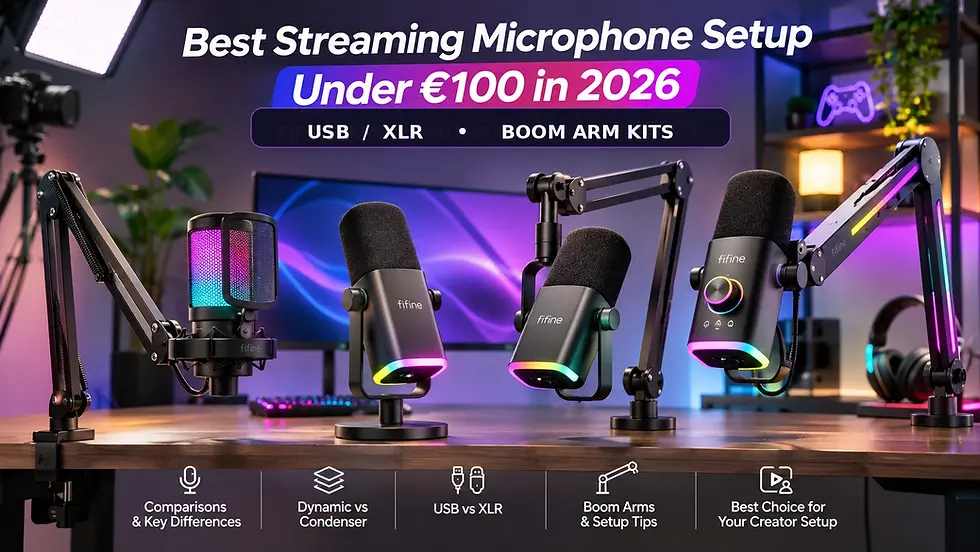
Can you build a good streaming microphone setup for under €100? Absolutely. But choosing the right microphone matters more than buying the most expensive model your budget allows.
If you're starting a Twitch channel, recording YouTube commentary, creating videos for social media or launching a podcast, your voice needs to sound clear and consistent.
The challenge is knowing what to buy.
Should you choose a dynamic or condenser microphone? Is USB enough, or should you invest in XLR? Does a boom arm actually improve your sound? And what's the difference between the FIFINE AM8, A6T, AM8T and AM8PROT?
These questions become especially important when your total budget is around €60–€100.
Quick answer: The FIFINE A6T is the most affordable complete microphone-and-boom-arm kit in this comparison. The AM8 is a flexible standalone dynamic microphone with USB and XLR connections. The AM8T combines a dynamic microphone with a boom arm for €89.88, while the AM8PROT adds more advanced hardware controls, software compatibility and an RGB boom arm for €99.22.
The best choice depends on your room, recording style and whether you already own a suitable microphone stand.
In this guide, we'll compare the actual equipment, explain the differences that matter and help you choose a microphone setup without wasting money on unnecessary accessories.
You can also explore the complete Standesk Streaming & Recording Gear collection for FIFINE microphones, boom arms, USB audio mixers and creator equipment.
Quick Comparison: Best FIFINE Streaming Microphones Under €100
Before looking at individual models, let's compare what your money actually buys.
FIFINE model | Price | Microphone type | Connection | Boom arm included | Best for |
A6T | €59.99 | Condenser | USB | Yes | Beginner streaming and quiet rooms |
AM8 | €75.44 | Dynamic | USB / XLR | No | Creators who already have a stand |
AM8T | €89.88 | Dynamic | USB / XLR | Yes | Affordable complete dynamic setup |
AM8PROT | €99.22 | Dynamic | USB / XLR | Yes, RGB | More advanced streaming workstation |
Prices checked at Standesk.eu on November 12, 2026, including VAT. Current prices, configurations and availability are shown on individual product pages.
Which One Should You Buy?
Best affordable beginner kit: FIFINE A6T
A complete USB condenser microphone kit with a boom arm, pop filter and shock mount for €59.99.
Best standalone dynamic microphone: FIFINE AM8
A USB/XLR dynamic microphone for €75.44. Choose it if you already have suitable mounting equipment or don't need a dedicated boom arm.
Best lower-cost dynamic microphone kit: FIFINE AM8T
A dynamic USB/XLR microphone with an adjustable boom arm for €89.88.
Best feature-rich complete kit: FIFINE AM8PROT
A dynamic USB/XLR microphone with a multifunction control dial, Windows-compatible FIFINE Genie software support and an RGB boom arm for €99.22.
Important: All four microphones cost less than €100 individually or as listed bundles. However, the standard AM8 does not include a boom arm, so buying one separately can push the total cost of an arm-mounted setup above €100.
That distinction matters if you're working with a strict budget.
1. FIFINE A6T: Best Affordable Complete Streaming Microphone Kit
The FIFINE AmpliGame A6T is an accessible way to start recording with a dedicated microphone instead of relying on a laptop microphone, gaming headset or webcam.
For €59.99, you receive a USB condenser microphone with the mounting equipment needed for a desk-based setup.
What Is Included With the FIFINE A6T?
Cardioid USB condenser microphone
Adjustable boom arm
Desk clamp
Shock mount
Pop filter
USB cable
Touch-sensitive mute control
Microphone gain adjustment
RGB lighting
The key benefit is that you don't need to choose a separate microphone arm immediately.
Connect the microphone to a compatible computer, position it correctly and select it in your recording software.
For beginners using OBS Studio, Discord, streaming applications or video-editing software, USB connectivity keeps the setup straightforward.
Is the A6T Good for YouTube and Twitch?
Yes, particularly for a beginner recording in a relatively quiet room.
A condenser microphone can reproduce detailed speech, which is useful for tutorials, voiceovers, presentations and streaming.
The supplied boom arm lets you move the microphone closer to your mouth instead of leaving it at the back of your desk.
That positioning can make a substantial difference to how prominently your voice is captured relative to the surrounding room.
However, the A6T doesn't automatically eliminate keyboard noise, room reflections or background conversations.
Like other microphones, it still needs correct placement and gain adjustment.
What Are the Limitations?
The A6T is USB-only.
It doesn't offer the XLR connection found on the AM8-series dynamic microphones.
If you eventually move to a more advanced audio interface or hardware mixer, you won't be able to connect the A6T through a conventional XLR microphone input.
Choose the FIFINE A6T if:
You're purchasing your first dedicated streaming microphone.
Your budget is approximately €60.
You want a microphone and boom arm together.
You primarily record in a relatively quiet room.
You prefer simple USB connectivity.
Consider another model if: You specifically want a dynamic microphone or plan to use an XLR audio interface.
2. FIFINE AM8: Best Standalone Dynamic Microphone for Creators
The FIFINE AM8 takes a different approach.
Instead of a USB-only condenser microphone, it uses a cardioid dynamic capsule and offers both USB-C and XLR connectivity.
That makes it interesting for creators who want to begin recording directly into a computer while keeping the option of adding an audio interface later.
What Makes the FIFINE AM8 Different?
The AM8 includes:
Dynamic cardioid microphone capsule
USB-C digital connection
XLR analog output
Microphone gain control
Headphone-volume adjustment
3.5mm headphone monitoring in USB mode
Touch-sensitive mute control in USB mode
RGB lighting in USB mode
For streaming, the most practical benefit is flexibility.
You can connect the AM8 directly to a compatible PC or Mac through USB.
If your setup later expands to include a hardware audio interface or mixer, you can use its XLR connection instead.
Is the FIFINE AM8 Better Than the A6T?
That depends on your recording environment and priorities.
The AM8 is often a logical option for someone who records close to a mechanical keyboard or gaming computer.
Dynamic microphones are frequently used at short speaking distances, helping the direct voice remain prominent relative to background sounds.
However, the microphone doesn't electronically remove all keyboard noise.
A well-positioned condenser can also produce a clear recording, while a poorly positioned dynamic microphone can sound distant or noisy.
The AM8's main advantages over the A6T are its dynamic capsule and USB/XLR flexibility.
Does the FIFINE AM8 Include a Boom Arm?
No. The standard AM8 listing is for the microphone without a dedicated boom-arm kit.
This is an important purchasing distinction.
At €75.44, it is less expensive than the AM8T or AM8PROT bundles.
But if you need a new boom arm, you must consider the additional cost.
The AM8 may be the most economical choice if you already own a compatible arm or want to use suitable desktop mounting equipment.
If you're starting from scratch, a complete kit may provide better overall value.
Choose the FIFINE AM8 if:
You prefer a dynamic microphone.
You want USB and XLR connections.
You already have suitable mounting equipment.
You want straightforward microphone controls.
You may add an audio interface later.
Consider another model if: You need a complete arm-mounted setup and want to remain under €100.
3. FIFINE AM8T: Best Value Dynamic Microphone and Boom Arm Kit
The FIFINE AM8T deserves attention because it solves one of the main limitations of purchasing the standalone AM8.
It combines a dynamic USB/XLR microphone with an adjustable boom arm in one package.
At €89.88, it's particularly relevant to new streamers who want a complete dynamic microphone setup without exceeding €100.
What Is Included With the AM8T?
The Standesk listing includes:
FIFINE AM8-series dynamic microphone
USB connection cable
Adjustable boom arm
Desk clamp
Microphone windscreen
User documentation
The microphone provides USB and XLR connectivity, with convenient digital controls when connected through USB.
The included boom arm makes it easier to position the microphone close to your mouth during gaming or recording.
Why Is the AM8T Worth Considering?
A standalone AM8 costs €75.44 at the prices checked.
The AM8T kit costs €89.88.
That is a difference of €14.44.
If you're starting without mounting equipment, paying the additional amount for the arm-equipped bundle can be more practical than buying a separate arm afterward.
This makes the AM8T especially relevant for:
Twitch streamers
Gaming commentary
Discord and team communication
YouTube voiceovers
Home-office recordings
Beginner desk-based podcasts
AM8T vs AM8PROT: Is the More Expensive Kit Worth It?
The AM8PROT costs €99.22, only €9.34 more than the AM8T at the checked prices.
The AM8T already covers the essentials: a dynamic microphone, USB/XLR flexibility and an adjustable boom arm.
The AM8PROT adds a different microphone design, multifunction audio controls, compatible software features and a more elaborate RGB setup.
So the choice isn't simply about getting a microphone arm.
It's about whether the additional controls and software functionality are useful to your recording workflow.
Choose AM8T if: You want a complete dynamic streaming microphone kit at the lowest price among these two dynamic bundles.
Choose AM8PROT if: You want more control options and RGB features, and you're comfortable spending closer to the full €100 budget.
4. FIFINE AM8PROT: Best Feature-Rich Complete Microphone Kit Under €100
The FIFINE AmpliGame AM8PROT is the most feature-rich complete microphone kit in this comparison.
At €99.22, it sits just below the €100 budget.
Unlike the standard AM8, it includes an adjustable RGB boom arm. It also introduces additional hardware and software functionality.
What Do You Get With the AM8PROT?
Dynamic cardioid microphone
USB-C connection
XLR output
Adjustable RGB boom arm
Touch-sensitive mute control
Three-function audio control dial
3.5mm headphone monitoring through USB
Supported 16-bit and 24-bit digital recording
44.1kHz and 48kHz sample-rate support
FIFINE Genie software compatibility on Windows
RGB lighting controls
The AM8PROT is designed for creators who want both flexible recording and convenient control over their setup during livestreams.
What Makes the Three-Function Dial Useful?
The AM8PROT replaces the separate control approach of the standard AM8 with a multifunction dial.
It can control:
Microphone gain
Headphone monitoring volume
Balance between microphone monitoring and computer audio
This can be convenient when you want to hear your own voice and computer audio at different relative levels.
The monitoring balance is not the same as automatically changing the audio mix your viewers hear.
Your streaming software and recording configuration still determine what is sent to the audience.
FIFINE Genie: An Important Compatibility Detail
The AM8PROT supports FIFINE Genie software for compatible audio and RGB adjustments.
As of November 2026, FIFINE Genie is available for Windows, not macOS.
That matters for MacBook users.
You can still use the AM8PROT as a compatible USB microphone on a Mac without installing Genie, and its supported onboard USB controls remain available.
However, Windows-specific Genie functionality should not be expected on macOS.
Does the AM8PROT Sound Better Than the AM8?
Not automatically.
The AM8PROT has a different capsule and control arrangement, and its software offers additional adjustment possibilities.
But a higher price or more advanced digital features do not guarantee that every voice will sound better.
Microphone positioning, gain, room acoustics and personal tonal preferences remain important.
If you want a straightforward USB/XLR dynamic microphone, the AM8 may already meet your requirements.
If you want a complete microphone-and-arm system with more control over monitoring and software adjustment, the AM8PROT provides a stronger feature set.
Does Everything Work Through XLR?
No.
The AM8PROT's onboard digital controls and headphone monitoring are designed for USB operation.
When using the XLR connection alone, those USB-based functions are not available through the microphone in the same way.
An external audio interface or mixer handles the analog XLR signal.
An XLR cable and audio interface are not included with the standard microphone kit.
Check Boom Arm Compatibility With Your Desk
FIFINE specifies a desk-clamp thickness range of approximately 20–53mm for the AM8PROT arm.
Before ordering, check:
Desktop thickness
Clearance below the desk edge
Cable trays or metal support frames
Space for the boom arm to move
Whether the mounting surface is stable
Choose the AM8PROT if:
You want a complete dynamic USB/XLR streaming kit.
You value hardware audio controls.
You prefer an RGB-equipped microphone arm.
You use Windows and want access to FIFINE Genie.
You want a permanent gaming or content-creation workstation.
Consider AM8T instead if: You mainly need a dynamic microphone with an arm and don't require the additional features.
5. Dynamic vs Condenser: Which Microphone Is Better for Streaming?
A microphone's capsule technology matters, but it is only one part of sound quality.
The two main options in this comparison are:
Condenser: FIFINE A6T
Dynamic: FIFINE AM8, AM8T and AM8PROT
Condenser Microphones: Detailed Speech in Suitable Rooms
Condenser microphones are widely used for voiceovers, music and spoken-word recording.
They can produce detailed audio when used correctly.
The A6T's cardioid pickup pattern makes it suitable for capturing speech primarily from the intended direction.
However, if a microphone is too far from your mouth, room reflections and background sounds can become more noticeable relative to your voice.
That can happen with either microphone technology.
A condenser microphone is not automatically unsuitable for gaming, nor does it inherently create room echo.
Dynamic Microphones: Practical for Close-Positioned Speech
Dynamic microphones are commonly used for close-up spoken-word recording.
This makes the AM8 series attractive to creators recording in bedrooms, home offices or gaming rooms.
By positioning a dynamic microphone close to your mouth and adjusting gain appropriately, you can often improve the balance between your speech and background noise.
But the capsule itself does not actively cancel keyboard clicks or other sounds.
A loud mechanical keyboard can still be recorded.
Which One Should You Buy?
Choose a condenser microphone if:
Your room is relatively quiet.
You want a complete entry-level setup.
USB connectivity meets your needs.
You prefer spending less on the initial kit.
Choose a dynamic microphone if:
You plan to record close to the microphone.
Your desk has some unavoidable background noise.
You want USB/XLR flexibility.
You frequently record gaming commentary or spoken-word content.
For most beginners, choosing a microphone that can be positioned correctly is more important than choosing based on capsule type alone.
6. USB vs XLR: Do You Really Need an Audio Interface?
Many first-time creators assume XLR automatically means better audio.
That's not necessarily true.
USB Microphones
A USB microphone connects directly to a compatible computer or supported device.
It contains the electronics needed to convert microphone audio into a digital signal.
This makes USB practical for:
OBS Studio
Twitch streaming
YouTube recordings
Discord
Voiceovers
Video meetings
Solo podcasts
For a simple one-person setup, USB is often the most convenient option.
XLR Microphones
An XLR microphone sends an analog audio signal to suitable recording equipment.
That usually means connecting it to an audio interface, mixer or dedicated recorder with an XLR microphone input.
XLR becomes useful when you need:
Multiple microphone inputs
Dedicated hardware gain controls
More advanced audio routing
Separate recording channels
Integration with other audio equipment
However, an XLR cable alone cannot connect an analog microphone signal directly to an ordinary USB port.
Does an Audio Interface Improve Sound Quality?
It can, depending on the equipment and recording chain.
But buying an audio interface does not guarantee better recordings.
For a creator recording one voice with a FIFINE AM8 or AM8PROT, the USB connection may already provide everything required.
You can add an interface later if your workflow genuinely needs one.
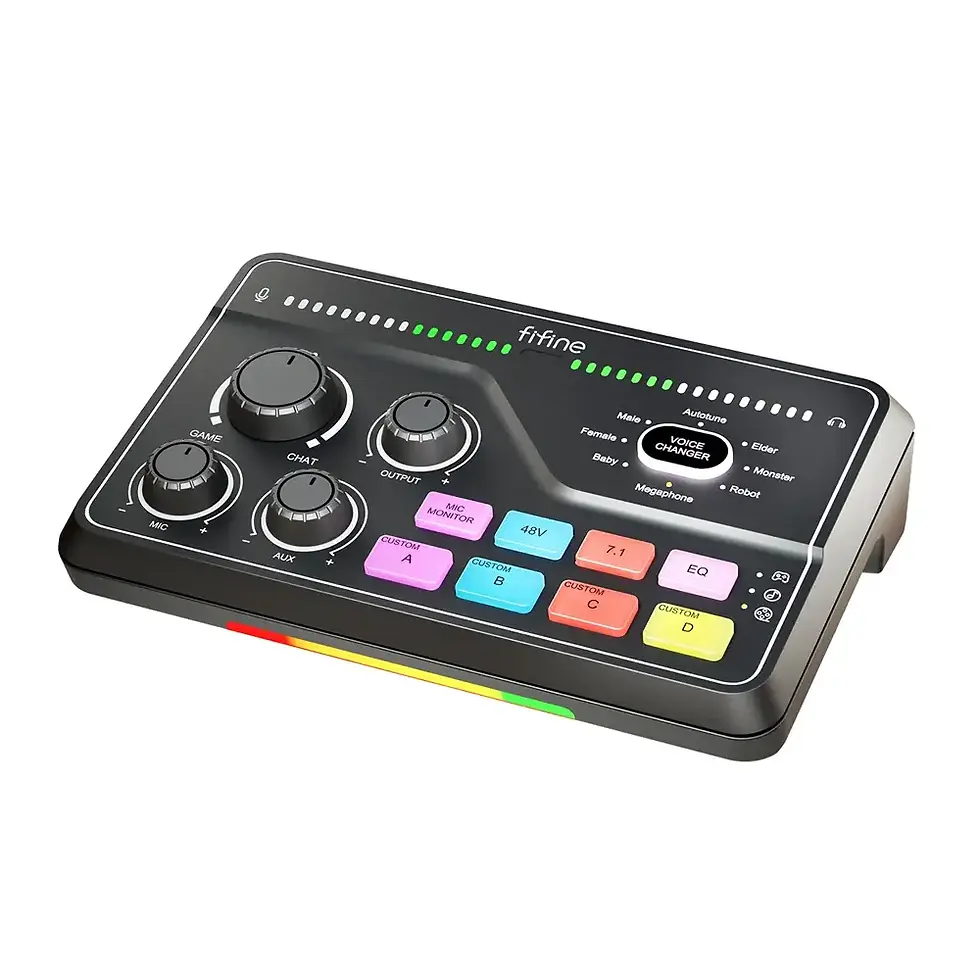
For example, the FIFINE AmpliGame SC3 USB Audio Mixer offers an XLR microphone input, physical controls and streaming-oriented audio features.
It is a potential future upgrade—not an essential addition to a first microphone setup under €100.
Recommendation: Start with USB, learn to record clean audio and consider XLR when your setup needs more inputs or hardware control.
7. Does a Boom Arm Actually Improve Microphone Sound?
A boom arm does not change the microphone capsule or digitally remove noise.
What it changes is positioning.
And positioning can make a major difference to the recording.
Why Microphone Distance Matters
Imagine recording commentary with your microphone sitting 50cm away from your mouth.
Your voice reaches the microphone alongside reflections from the walls, desk and surrounding room.
Increasing microphone gain raises everything captured, not just your voice.
Now imagine bringing the microphone closer.
Your direct voice becomes stronger relative to many distant background sounds.
You can often reduce gain while maintaining a useful speech level.
That improves the balance between your voice and the room, although it doesn't remove every unwanted noise.
How Close Should a Streaming Microphone Be?
For many close-spoken dynamic microphones, 5–15cm is a reasonable starting range.
The exact distance depends on:
Microphone design
Your speaking volume
Breath and plosive sounds
Desired sound character
The microphone's pickup direction
Use the appropriate windscreen or pop filter and avoid speaking directly into the capsule with strong bursts of air.
For a condenser microphone, experiment with a comfortable distance while listening for room reflections and changes in voice clarity.
There is no universal ideal distance for every microphone.
Boom Arm vs Desktop Stand
A desktop stand may be sufficient if it keeps the microphone correctly positioned.
A boom arm becomes more attractive when:
You need to move the microphone closer.
You want to free up space around your keyboard.
Your microphone blocks the monitor.
You frequently switch between recording and other desk work.
You want to adjust the microphone's position during livestreams.
For creators who already own a microphone, the FIFINE BM88 PRO Low-Profile Microphone Arm offers another style of mounting.
A low-profile arm can be useful when you want to keep the microphone below your main camera sightline rather than suspending it from above.
Check mounting compatibility, load limits and desk clearance before purchasing an arm separately.
Explore additional microphone arms and accessories in Standesk Streaming & Recording Gear.
8. How to Make Your FIFINE Microphone Sound Better in OBS Studio
Before upgrading your microphone, check your recording setup.
Even a more expensive microphone can produce poor results when the wrong input, excessive gain or aggressive software filters are used.
Step 1: Select the Correct Microphone
Connect the microphone through USB.
Open OBS Studio and confirm that the selected audio input is your FIFINE microphone rather than your laptop microphone, webcam microphone or headset.
Record a short sample and play it back before starting a livestream.
Step 2: Position the Microphone
Place the microphone in a consistent speaking position.
Speak into the manufacturer's intended pickup area.
For a close-spoken dynamic microphone, begin within the approximate 5–15cm range and adjust as needed.
Check that breathing sounds, desk vibrations and keyboard clicks are not overwhelming your speech.
Step 3: Adjust Gain
Speak at your normal recording volume.
Then test your loudest typical speech, such as an excited gaming reaction.
A useful starting point is to keep ordinary speech comfortably below digital clipping, with louder phrases generally peaking around -12 to -6dBFS.
Don't treat those figures as an exact target for every voice or setup.
If the raw recording distorts, reduce the input gain before adding processing.
Step 4: Add Filters Carefully
OBS Studio offers several useful audio filters.
Noise suppression: Helps reduce some background noise, including certain steady fan sounds.
Noise gate or expander: Reduces background sound between phrases. It won't remove keyboard noise occurring at the same time as your voice.
Compressor: Helps manage differences between quieter and louder speech.
Limiter: Helps prevent sudden excessive peaks from exceeding a selected output level.
Use only the filters you need.
Too much processing can create unnatural voices, missing syllables or audible pumping effects.
Step 5: Make a Real Recording Test
Record the same short passage in two configurations.
Recording A: Microphone farther away, in its normal position.
Recording B: Microphone correctly positioned closer to your mouth, with gain readjusted.
Keep the speaking style and playback level reasonably consistent.
Then compare:
Voice clarity
Room reflections
Keyboard noise
Speech volume
Plosive sounds
Overall intelligibility
This is one of the simplest ways to identify whether your main problem is the microphone itself or the way it's being used.
9. Best FIFINE Microphone by Creator Type
Not every creator needs the same equipment.
For Twitch Streamers
A close-positioned dynamic microphone with a boom arm is a practical choice.
It allows you to speak naturally while keeping the microphone separate from your keyboard and mouse.
Recommended options: FIFINE AM8T or FIFINE AM8PROT.
Choose AM8T for a lower-cost complete kit or AM8PROT if you value additional audio controls and RGB features.
For Beginner YouTubers
If you're recording tutorials, screen captures or seated commentary, you don't necessarily need XLR equipment.
A complete USB microphone kit can be enough to start producing clear audio.
Recommended option: FIFINE A6T.
It's particularly relevant when budget matters and your recording environment is reasonably quiet.
For Gaming Commentary and Discord
If you want a dynamic microphone that works with a PC today and an audio interface later, the AM8 is worth considering.
Recommended option: FIFINE AM8.
It's especially sensible if you already own suitable mounting equipment.
For Desk-Based Video Creators
When your face is visible on camera, microphone positioning affects both audio and composition.
An adjustable boom arm helps keep the microphone at a repeatable distance while allowing you to change the framing.
Recommended option: FIFINE AM8PROT for creators who want a complete dynamic kit with additional controls.
Alternatively, use a compatible microphone with a low-profile boom arm if keeping the microphone less prominent in the shot is important.
For Podcasters
A solo podcast can work well with a USB microphone.
If you're recording multiple people, independent microphones and separate audio tracks become more important.
A suitable XLR interface may make sense when the show expands.
For a complete overview beyond microphones, read our Video Podcast Setup Guide for 2026.
For Vloggers Recording Outdoors
A desk-mounted FIFINE microphone isn't usually the most practical choice for walking videos, outdoor filming or handheld camera work.
A compact wireless microphone can provide more freedom of movement.
In those situations, explore wireless recording equipment in the Standesk Streaming & Recording Gear collection instead of buying a desk microphone for the wrong purpose.
10. Five Common Streaming Microphone Buying Mistakes
Buying the Microphone Without Checking the Bundle
The standalone AM8 and the AM8T kit are not the same purchase.
If you need a boom arm, account for it when comparing total cost.
Assuming XLR Automatically Sounds Better
Connection type alone does not determine recording quality.
A properly positioned USB microphone can produce excellent spoken-word audio.
Choosing a Dynamic Microphone as a Substitute for Room Treatment
Dynamic microphones don't remove echo electronically.
If your room is highly reflective, microphone placement and basic acoustic improvements still matter.
Ignoring Windows and Mac Software Compatibility
The AM8PROT supports FIFINE Genie on Windows.
Mac users should not assume that every software feature is available simply because the microphone itself works through USB.
Spending the Entire Budget Before Testing Microphone Placement
A better microphone will not automatically solve incorrect gain, poor positioning or excessively aggressive noise suppression.
Start with a reliable recording setup and upgrade only when you identify a genuine limitation.
Final Verdict: Which FIFINE Streaming Microphone Should You Buy Under €100?
The best budget streaming microphone is not always the model with the most features.
The better purchase is the one that fits your recording environment, includes the accessories you need and works with the equipment you already own.
Choose the FIFINE A6T at €59.99 if you want an affordable complete USB condenser microphone kit with a boom arm.
Choose the FIFINE AM8 at €75.44 if you want a standalone dynamic USB/XLR microphone and already have suitable mounting equipment.
Choose the FIFINE AM8T at €89.88 if you want a complete dynamic microphone-and-boom-arm kit without spending the full €100.
Choose the FIFINE AM8PROT at €99.22 if you want the most feature-rich complete setup in this comparison, including multifunction audio controls, USB/XLR connectivity, Windows-compatible software adjustment and an RGB boom arm.
For creators recording next to a gaming PC or mechanical keyboard, an appropriately positioned dynamic microphone is a sensible choice.
For beginners recording in a relatively quiet room, the A6T offers an accessible entry point.
And if you already own a suitable stand, the standalone AM8 may be all you need.
Build Your Creator Setup at Standesk
Compare the microphones featured in this guide:
Or explore the full Streaming & Recording Gear collection at Standesk for microphones, boom arms, mixers and creator accessories.
Standesk serves customers across the European Union, with current product prices, availability and delivery information provided on individual product pages.
Frequently Asked Questions
What is the best streaming microphone setup under €100 in 2026?
For an affordable complete USB condenser kit, the FIFINE A6T is a practical choice. For a dynamic microphone with an included boom arm, compare the AM8T and AM8PROT. The best option depends on your recording environment, budget and required controls.
Is the FIFINE AM8 better than the A6T?
Not universally. The AM8 is a dynamic microphone with USB and XLR connectivity, while the A6T is a USB condenser microphone sold with a boom arm. The AM8 provides more connection flexibility, but the A6T is a more affordable complete beginner kit.
Does the FIFINE AM8 come with a boom arm?
The standard standalone FIFINE AM8 listing does not include a boom arm. If you want an arm-equipped dynamic microphone kit, compare the FIFINE AM8T and AM8PROT.
What is the difference between FIFINE AM8 and AM8PROT?
Both support USB and XLR connections. The AM8 has simpler dedicated controls, while the AM8PROT provides a multifunction dial, additional software capabilities and an included RGB boom arm. They also differ in capsule and digital audio features.
Is FIFINE AM8T or AM8PROT better?
The AM8T is a lower-cost dynamic microphone kit with an adjustable boom arm. The AM8PROT adds multifunction audio controls, Windows-compatible FIFINE Genie functionality and a more elaborate RGB setup. Choose according to the features you will actually use.
Does FIFINE Genie work on Mac?
As of November 2026, FIFINE Genie is available for Windows, not macOS. The AM8PROT microphone can still function through a compatible USB connection on a Mac, but Genie-specific software controls are not available there.
Is a dynamic or condenser microphone better for streaming?
Both can work well. Dynamic microphones are frequently used close to the mouth for focused speech recording, while condenser microphones are also suitable for clear voice recording. Pickup pattern, placement, room acoustics and gain matter greatly.
Do dynamic microphones remove keyboard noise?
No. A cardioid dynamic microphone can help make close-positioned speech more prominent relative to background sounds, but it does not automatically eliminate keyboard clicks. Positioning, gain and room conditions remain important.
Does a boom arm improve microphone sound quality?
A boom arm does not improve the microphone capsule itself. It makes it easier to position the microphone at a suitable distance and angle, which can improve the recorded balance between speech and surrounding noise.
Is USB or XLR better for beginner streamers?
USB is usually easier because it connects directly to a compatible computer. XLR requires suitable external recording equipment and becomes useful when you want additional audio inputs, routing or hardware controls.
Does the FIFINE AM8 need phantom power?
No. The FIFINE AM8 uses a dynamic capsule and does not require 48V phantom power for normal XLR operation. A compatible audio interface or mixer is still needed for recording through its XLR output.
Does the FIFINE AM8PROT work with OBS Studio?
Yes. The AM8PROT can be selected as a microphone input in OBS Studio through a compatible USB connection. Correct device selection, input gain and software configuration are still necessary.
Can I use the FIFINE AM8PROT without an audio interface?
Yes. Connect it through USB to a compatible computer. An external interface or mixer becomes necessary when using its analog XLR output.
What is the best microphone distance for streaming?
For many close-spoken dynamic microphones, approximately 5–15cm is a useful starting point. Adjust according to your microphone, speaking volume and plosive sounds. There is no universal distance suitable for every microphone.
Are FIFINE desktop microphones good for YouTube vlogging?
They work well for seated videos, voiceovers and desk-based presentations. For mobile filming, outdoor videos and walking vlogs, a wireless microphone is often a more practical choice.
Editorial note: Standesk sells products featured in this guide. Recommendations are based on published product specifications, kit contents and practical recording considerations, not claims of controlled head-to-head laboratory testing. Prices were checked on November 12, 2026, and may change. Always confirm current prices, availability, package contents and compatibility before ordering.








Comments