
PS5 Pro or 4K Monitor for GTA 6 — Which Upgrade Should You Buy First?

Quick answer: should you buy PS5 Pro or a better monitor for GTA 6?
If you already own a PS5 but still play on a basic 1080p monitor, the smarter first upgrade is usually a better monitor.
If you do not own any console that can play GTA 6 at launch, the smarter first upgrade is the console.
If you already have a good 4K monitor, OLED display or HDMI 2.1 gaming screen, then PS5 Pro becomes more logical — but it is still not mandatory unless you personally want the strongest PlayStation option.
The mistake many players are making right now is thinking only about the console. GTA 6 is not just a console purchase. For many people, it will be the reason they finally upgrade the whole gaming setup: console, monitor, desk, chair, headset, cables and storage.
Here is the simplest upgrade logic:
Your current setup | Best first upgrade |
No PS5 or Xbox Series X | S |
PS5 + old 1080p monitor | Upgrade the monitor first |
PS5 + good 4K HDMI 2.1 monitor | Consider PS5 Pro |
PS5 + 1440p monitor | Monitor may be fine, PS5 Pro is optional |
Xbox Series X + weak monitor | Upgrade the monitor first |
Xbox Series S + 1080p monitor | Keep budget setup or move to Series X |
Gaming PC only | Wait for official PC information |
Small room setup | 27–32 inch monitor makes sense |
Living room setup | 4K TV or console first, depending what is missing |
The best answer is not “always buy PS5 Pro” or “always buy a 4K monitor”.
The best answer is:
Upgrade the weakest part of your setup first.
For many GTA 6 buyers, that weakest part will not be the console. It will be the screen.
If you already know that your monitor is old, small, washed out, limited to 1080p or missing modern console features, start by comparing gaming monitors. If you do not own a supported console yet, start with gaming PCs and consoles.
What GTA 6 officially supports today
GTA 6 is currently announced for:
PlayStation 5
Xbox Series X
Xbox Series S
That means the launch is console-first.
At the time of writing, PC is not listed as a launch-day platform. That matters because many PC players are already trying to guess GTA 6 system requirements, but there are no official PC specs yet.
So the buying decision should start with one question:
Do you want to play GTA 6 at launch?
If yes, plan around PS5 or Xbox Series X|S.
If no, and you only want to play on PC, wait for official PC information before building or upgrading a gaming PC specifically for GTA 6.
The same logic applies to performance claims. Do not buy hardware based on rumours that GTA 6 will definitely run at a certain FPS. Until final performance modes are confirmed, the safest approach is to buy a setup that is strong, balanced and useful beyond one game.
Why PS5 Pro is not automatically the best first upgrade
PS5 Pro is the premium PlayStation direction.
It may be attractive if you want stronger console hardware, better visual potential in supported games and a more future-ready PlayStation setup.
But there is one important point:
PS5 Pro does not fix a weak monitor.
If you connect a premium console to a poor 1080p display, you are limiting the part of the setup you actually look at every second. You may have a stronger console, but the image still passes through the same old screen.
PS5 Pro makes more sense if:
You already have a good 4K monitor or TV
You care about visual quality in modern AAA games
You plan to keep the console for years
You want the strongest PlayStation option
You already know you will play more than GTA 6
You do not mind paying more for a premium console
PS5 Pro makes less sense if:
You still use a weak 1080p monitor
You do not own a good HDR display
You mostly play casually
You are buying only because of GTA 6 hype
Your current PS5 already feels good
Your budget only allows one upgrade
This is why the PS5 Pro vs monitor question is important.
If your current screen is the weak point, the monitor upgrade may change more about the actual gaming experience than the console upgrade.
Why an old 1080p monitor can limit your GTA 6 experience
A 1080p monitor is not useless.
But for a game like GTA 6, it may not show the kind of visual detail many players expect from a modern console-first open-world game.
GTA 6 will likely be bought by many players who have not upgraded their setup for years. Some still use old office monitors, budget 1080p screens, weak panels, poor contrast or displays without good HDR.
That is where the upgrade decision becomes obvious.
A better monitor can improve:
Sharpness
Screen size
Color quality
Contrast
HDR experience
Input responsiveness
Motion clarity
Console compatibility
Desk comfort
Overall immersion
If you play GTA 6 on a small 1080p monitor with poor colors, the game may still run, but the experience will not feel as premium as it should.
The monitor is not just an accessory. It is the window into the game.
If that window is weak, everything behind it looks weaker.
4K vs 1440p vs 1080p for GTA 6
The best resolution depends on the console, screen size, distance and budget.
1080p
1080p is the budget option.
It can still make sense if:
You use Xbox Series S
You play casually
You sit close to a smaller monitor
Budget is limited
You already own the screen and do not want to upgrade yet
But 1080p is not the ideal direction if you are buying a new monitor mainly for GTA 6, PS5, PS5 Pro or Xbox Series X.
A new 1080p monitor may feel like a short-term saving and a long-term limitation.
1440p
1440p is a strong middle ground.
It can make sense if:
You use the same monitor for console and PC
Your PC is better suited to 1440p than 4K
You want a sharper image than 1080p
You want a 27-inch or 32-inch desk setup
You do not want to pay for premium 4K
For many mixed PC and console players, 1440p is the practical compromise.
The downside is that if your main priority is the strongest console visual experience, 4K is usually the more natural match for PS5, PS5 Pro and Xbox Series X.
4K
4K is the premium console direction.
It makes sense if:
You are buying for PS5
You are buying for PS5 Pro
You are buying for Xbox Series X
You care about open-world visual detail
You use a 32-inch monitor or larger
You want a more future-ready display
You plan to keep the monitor for years
For GTA 6, 4K is the safest premium recommendation for console players who want the best visual direction.
That does not mean GTA 6 will always run at native 4K in every mode. It means a 4K monitor is the most suitable display category for modern premium console gaming.
OLED vs IPS vs VA for GTA 6
Panel type matters more than many buyers think.
GTA 6 will likely include night scenes, bright city lights, darker interiors, sunsets, reflections, neon colors and fast driving. That makes contrast, black levels and motion handling important.
OLED
OLED is the premium visual option.
OLED makes sense if you want:
Excellent contrast
Deep blacks
Strong HDR impact
Fast response time
Premium image quality
Better cinematic feel
Great night scenes and neon visuals
OLED is especially attractive for GTA 6 because open-world games benefit from atmosphere. City lighting, dark streets, sunsets and reflections look better on a screen with strong contrast.
The downside is price. OLED is usually more expensive, and buyers should understand burn-in risk and use normal screen-care habits.
IPS
IPS is the safe all-round option.
IPS makes sense if you want:
Good colors
Wide viewing angles
Solid gaming performance
Lower price than OLED
Good desk monitor usability
Work and gaming on the same screen
IPS is often the most practical choice for users who need one monitor for gaming, work, browsing and general daily use.
The downside is weaker contrast compared with OLED and some VA panels.
VA
VA can be good for contrast on a tighter budget.
VA makes sense if you want:
Better contrast than many IPS monitors
Good dark scenes
Larger screen options
Often better pricing than OLED
The downside is that some VA monitors can have slower pixel response or motion smearing, depending on the model.
For GTA 6, VA can be a good value choice, but you must choose carefully.
HDMI 2.1 and 120Hz: important even if GTA 6 performance is not confirmed
This is where many buyers get confused.
A monitor can be good for GTA 6 even if GTA 6 does not use every feature all the time.
HDMI 2.1 and 120Hz are useful because they make the monitor better for modern console gaming in general. They can support features like high-refresh output, VRR and better compatibility with PS5 and Xbox Series X.
But you should not buy a monitor because you assume GTA 6 will definitely run at 120 FPS.
That is not confirmed.
The better logic is:
Buy HDMI 2.1 and 120Hz because your console setup becomes more flexible for GTA 6 and other games, not because one unconfirmed performance mode is guaranteed.
A good modern console monitor should ideally have:
4K resolution
HDMI 2.1
Low input lag
VRR support
120Hz or higher refresh rate
Good HDR performance
Good contrast
Comfortable size
VESA support if you use a monitor arm
If budget is limited, prioritize image quality and console compatibility over chasing the highest refresh rate number.
A 240Hz monitor is not automatically better for console gaming than a strong 4K 120Hz display.
PS5 Slim, PS5 or PS5 Pro for GTA 6
If you do not own a PlayStation yet, the PS5 choice depends on your budget and display.
Choose PS5 or PS5 Slim if:
You want the standard PlayStation route into GTA 6
You want to control cost
You do not already own a premium 4K display
You mostly care about playing the game, not having the strongest console
You also need money for a better monitor
For many buyers, a standard PS5 plus a better monitor may be a smarter total upgrade than PS5 Pro plus an old screen.
Choose PS5 Pro if:
You already have a good 4K monitor or TV
You want the strongest PlayStation console
You play many AAA games
You care about visual modes and performance headroom
You plan to keep the console for a long time
You do not mind paying more
The simple answer:
If the screen is weak, upgrade the screen first. If the screen is already strong, PS5 Pro becomes more logical.
Xbox Series X buyers: the same monitor logic applies
This article focuses on PS5 Pro because that is where much of the upgrade discussion is happening, but the monitor logic is the same for Xbox Series X.
Xbox Series X is a strong console, but it also needs a good display.
If you connect Xbox Series X to an old 1080p monitor, you are not getting the full value from the console.
Xbox Series X makes more sense with:
4K monitor or TV
HDMI 2.1 support
120Hz support
VRR
Low input lag
Good HDR
Strong contrast
If you already own Xbox Series X and are thinking about GTA 6, the monitor may be your best first upgrade.
If you only own Xbox Series S, the decision is different.
Xbox Series S is the budget route. It may be enough for casual players, but if GTA 6 is the main game you are buying for and you want the strongest Xbox experience, Xbox Series X is the better upgrade before buying a premium 4K monitor.
Should Xbox Series S owners upgrade console or monitor first?
Xbox Series S owners need to be more careful.
A premium 4K monitor can be useful long-term, but Series S is not the same kind of 4K-focused console as Series X.
If you own Xbox Series S and a basic 1080p monitor, there are two logical paths.
Budget path
Keep the Series S and 1080p or 1440p monitor.
This makes sense if:
Budget is limited
You play casually
You accept lower visual settings
GTA 6 is important but not your only gaming reason
You do not need the premium experience
Premium path
Upgrade to Xbox Series X first, then choose a better 4K monitor.
This makes sense if:
GTA 6 is the main reason for upgrading
You want the best Xbox experience
You plan to play many new AAA games
You care about visual quality
You want more long-term hardware headroom
For Xbox Series S users, the console upgrade may matter more than the monitor upgrade if the goal is a premium GTA 6 setup.
Should PC players buy a monitor now for GTA 6?
PC players should separate two questions.
Question one:
Do you need a new monitor for current games and work?
Question two:
Are you buying the monitor only for GTA 6 PC?
If you need a new monitor now for current games, work, content creation or console use, buying one can make sense.
But if you are buying only for GTA 6 PC, be careful. The PC version and official PC requirements are not confirmed at the time of writing.
A good monitor can last several years, so buying a strong 1440p or 4K monitor is not a bad idea if you will use it immediately.
But do not buy an expensive monitor or GPU based only on fake GTA 6 PC requirements.
For PC players, the safest monitor choices are:
User type | Better monitor direction |
Mid-range PC | 1440p monitor |
High-end PC | 4K monitor |
PC + PS5 | 4K HDMI 2.1 monitor |
PC + Xbox Series X | 4K HDMI 2.1 monitor |
Competitive gaming focus | High refresh 1440p monitor |
Cinematic AAA games | 4K or OLED monitor |
Budget setup | 1080p or 1440p monitor |
If your monitor will be used for both PC and console, a 4K HDMI 2.1 monitor is often the strongest long-term choice.
For current PC options, compare gaming PCs, but wait for official GTA 6 PC requirements before making GTA-specific PC decisions.
Best monitor size for GTA 6: 27 inch or 32 inch?
For a desk setup, most players should look at 27-inch or 32-inch monitors.
27-inch monitor
A 27-inch monitor makes sense if:
Your desk is smaller
You sit close to the screen
You want 1440p
You use the monitor for work and gaming
You have limited space
You want a sharper-looking image at 1440p
For 1440p gaming, 27-inch is often the sweet spot.
32-inch monitor
A 32-inch monitor makes sense if:
You want 4K
You want more immersion
Your desk is deep enough
You use a console at a desk
You want a more cinematic experience
You do not sit extremely close
For GTA 6 on PS5, PS5 Pro or Xbox Series X, a 32-inch 4K monitor can be a very strong desk setup.
Avoid buying a large screen if your desk is too shallow. If the monitor is too close, the experience becomes uncomfortable.
For console gaming at a desk, the desk depth matters more than many buyers expect.
Desk setup matters more than people think
Many GTA 6 buyers will focus only on the console and monitor.
But the setup around the screen matters too.
A good GTA 6 desk setup should have:
Stable desk
Correct monitor distance
Comfortable chair
Clean cable management
Console ventilation
Controller charging
Headset or speakers
Enough room for keyboard, mouse or laptop if needed
No monitor wobble
No messy cables around the console
If your desk is too small, the monitor may sit too close.
If your desk is unstable, the monitor may shake.
If cables are messy, the whole setup feels cheap.
If the console has poor airflow, long gaming sessions become less ideal.
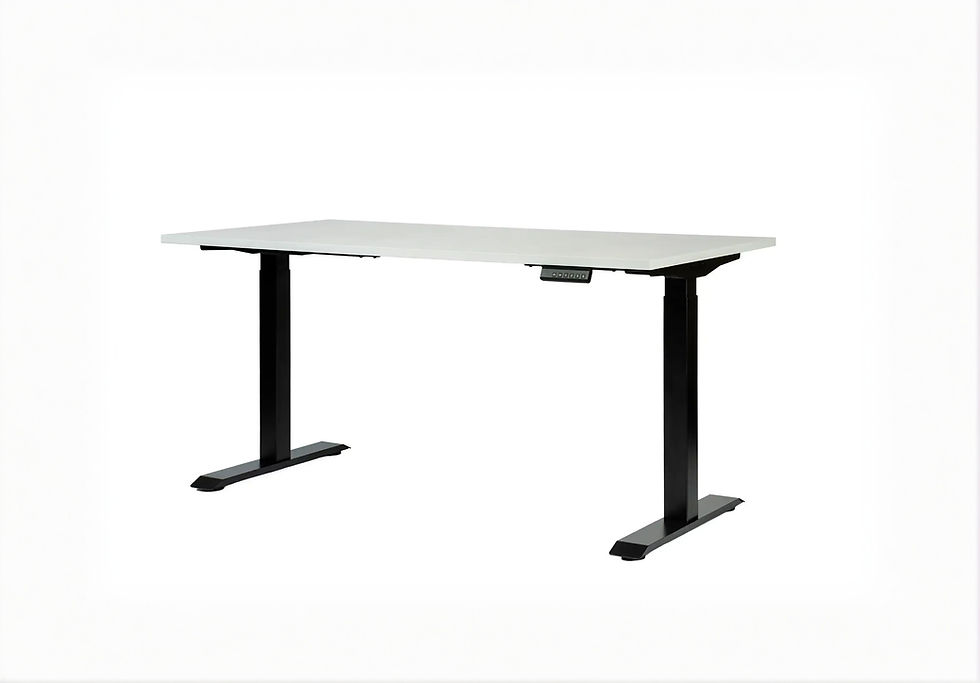
This is where Standesk categories naturally fit the GTA 6 upgrade path. A good console or monitor is only part of the experience. The desk, chair and accessories decide whether the setup feels clean and comfortable every day.
If you want a proper gaming and work setup, compare standing desks and PC accessories and peripherals.
Small room GTA 6 setup: what should you buy first?
For bedrooms, apartments and compact home offices, do not buy the biggest screen automatically.
A good small-room GTA 6 setup could be:
PS5 or Xbox Series X
27-inch or 32-inch monitor
Compact desk
Comfortable chair
Headset instead of large speakers
Cable tray
Controller dock
Monitor arm if the desk is stable enough
Enough ventilation around the console
If the room is small, a monitor may be more practical than a TV.
You can sit closer, use the same display for work or study, and keep the setup more compact.
For small rooms, the best first upgrade is often the screen and desk layout, not necessarily the most expensive console.
Living room GTA 6 setup: monitor or TV?
If you play from a sofa, a TV makes more sense than a desk monitor.
A good living room GTA 6 setup could be:
PS5, PS5 Pro or Xbox Series X
4K TV
Comfortable seating
Controller dock
Soundbar or headset
Stable TV stand
Good console ventilation
Clean cable routing
For living room players, the decision is different.
If you already have a good 4K TV, upgrading the console may be the next step.
If your TV is old, lacks good HDR or has high input lag, the display may still be the weak point.
The same rule applies:
Upgrade the weakest part first.
Should you buy before GTA 6 demand increases?
Nobody can guarantee shortages or price increases.
But GTA 6 will likely increase buying pressure around consoles, monitors and gaming accessories as launch gets closer.
That does not mean you should panic buy.
It means you should avoid waiting until the final weeks if you already know what you need.
Plan earlier if:
You do not own PS5 or Xbox Series X|S
Your monitor is old
You want a specific console version
You want a specific monitor size or panel type
You need delivery before launch
You want time to set up the space properly
You want to spread purchases across several months
Wait if:
You already own a supported console and good monitor
You want final GTA 6 performance details
You are unsure which platform your friends will choose
You only want PC
You are hoping for bundles
The best buying strategy is not fear.
It is preparation.
Best upgrade path by situation
You have no supported console
Buy the console first.
A monitor does not help if you cannot play the game at launch.
Best direction:
PS5 if you prefer PlayStation
Xbox Series X if you prefer Xbox and want the strongest Xbox option
Xbox Series S only if budget matters most
You have PS5 and an old 1080p monitor
Upgrade the monitor first.
This is one of the clearest cases. A better screen can change the whole experience.
Best direction:
4K monitor for premium console use
1440p monitor if you also use a mid-range PC
OLED if image quality is the priority
IPS if you want a practical all-round screen
You have PS5 and a good 4K monitor
Consider PS5 Pro.
This is when a console upgrade becomes more logical.
The screen is already strong enough to show the benefit of better hardware where supported.
You have Xbox Series X and a weak monitor
Upgrade the monitor first.
Xbox Series X deserves a good display. If you are still on a weak 1080p screen, the monitor is likely the limiting part.
You have Xbox Series S
Decide whether you want budget or premium.
If budget is the goal, keep Series S and choose a reasonable monitor.
If GTA 6 is the reason for a serious upgrade, Xbox Series X should come before an expensive 4K monitor.
You have gaming PC only
Wait for official PC news.
Do not buy hardware only for GTA 6 PC before official requirements are published.
You have a weak desk setup
Upgrade the space.
If your monitor shakes, the desk is too shallow, the chair is uncomfortable or cables are everywhere, the setup will not feel premium even with a strong console.
Final recommendation
The best GTA 6 upgrade is not always PS5 Pro.
It is not always a 4K monitor either.
The best upgrade is the one that removes the biggest weakness from your current setup.
If you do not own PS5 or Xbox Series X|S, buy a supported console first.
If you already own PS5 but still use an old 1080p monitor, upgrade the monitor before buying PS5 Pro.
If you already have a strong 4K HDMI 2.1 monitor or TV, PS5 Pro becomes more logical.
If you own Xbox Series X with a weak display, upgrade the monitor first.
If you own Xbox Series S and want a premium GTA 6 experience, consider moving to Xbox Series X before buying an expensive 4K monitor.
If you are a PC-only player, wait for official PC release and requirements.
GTA 6 will make many players rethink their whole gaming setup. The smartest buyers will not panic and buy the most expensive item first. They will look at the full chain:
console → monitor → desk → chair → accessories → cable management → comfort
The best setup is the one where every part makes sense together.
FAQ
Should I buy PS5 Pro or a 4K monitor for GTA 6?
If you already have a PS5 but use an old 1080p monitor, upgrade the monitor first. If you already have a good 4K HDMI 2.1 display and want the strongest PlayStation option, PS5 Pro becomes more logical.
Do I need PS5 Pro for GTA 6?
No official information says that PS5 Pro is required for GTA 6. GTA 6 is listed for PlayStation 5, so PS5 Pro should be treated as a premium option, not a requirement.
Is a 1080p monitor enough for GTA 6?
A 1080p monitor can work, especially for budget setups, but it is not the best choice if you are building a new premium GTA 6 setup for PS5, PS5 Pro or Xbox Series X.
Is 1440p good for GTA 6?
1440p can be a good middle ground, especially if you use the same monitor for console and PC. For a pure premium console setup, 4K is usually the stronger long-term direction.
Is 4K worth it for GTA 6?
For PS5, PS5 Pro and Xbox Series X, a 4K monitor or TV is the best premium direction. It gives more visual detail and better long-term value for modern console gaming.
Is HDMI 2.1 necessary for GTA 6?
HDMI 2.1 is not confirmed as “necessary” for GTA 6 specifically, but it is useful for modern PS5 and Xbox Series X gaming because it supports features such as 4K 120Hz output where available.
Will GTA 6 run at 60 FPS on PS5 Pro?
Rockstar has not confirmed final GTA 6 performance modes. Do not buy PS5 Pro only because you assume GTA 6 will definitely run at 60 FPS.
Should Xbox Series X owners upgrade their monitor?
If you have Xbox Series X but still use a weak 1080p monitor, a better monitor is likely the smarter first upgrade. Xbox Series X benefits from a strong 4K or HDMI 2.1 display.
Should Xbox Series S owners buy a 4K monitor?
Not always. Xbox Series S is the budget console, so a 1080p or 1440p monitor may be more practical. If you want a premium GTA 6 setup, upgrading to Xbox Series X may be more important first.
Is OLED good for GTA 6?
OLED can be excellent for GTA 6 because it offers deep blacks, strong contrast, fast response and cinematic image quality. It is the premium monitor direction, but it usually costs more.
Is IPS good for GTA 6?
IPS is a safe all-round choice for GTA 6 if you want good colors, wide viewing angles and practical daily use for both work and gaming.
What monitor size is best for GTA 6?
For a desk setup, 27-inch works well for 1440p and smaller spaces. 32-inch works well for 4K and a more immersive console gaming setup, if your desk is deep enough.
Should I wait before buying GTA 6 hardware?
Wait if you already have a good console and display or want final performance details. Buy earlier if you do not own a supported console, your monitor is weak or you want to avoid last-minute buying pressure.
What is the best first upgrade for GTA 6?
The best first upgrade depends on your current setup. No supported console means buy a console first. PS5 with weak 1080p monitor means upgrade the monitor first. Good 4K display already means PS5 Pro or accessories become more logical.
What is the best full setup for GTA 6?
A strong GTA 6 setup includes PS5, PS5 Pro or Xbox Series X, a good 4K or 1440p monitor, comfortable chair, stable desk, headset or speakers, controller charging, cable management and proper console ventilation.



















Comments