
Stop Blaming Your Skill: 7 Setup Errors Destroying Your FPS Aim Consistency
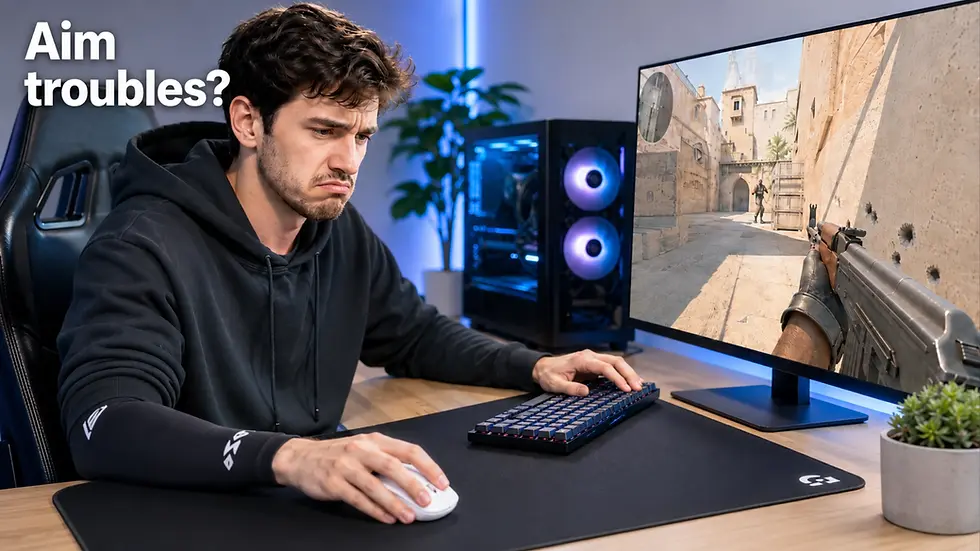
You train your aim. You grind ranked. You tweak sensitivity every week.
Yet some days your aim feels sharp — and other days it feels completely broken.
Most FPS players immediately blame:
mechanics,
reaction time,
confidence,
or “bad form.”
But in 2026, one of the biggest reasons for inconsistent FPS aim is not skill.
It is hardware inconsistency.
Modern competitive gaming setups are now so sensitive that:
humidity,
mousepad friction,
mouse shape,
desk height,
PTFE skate wear,
posture,
and even sensor placement
can completely change how your aim feels from day to day.
This is why many players feel:
“muddy aim,”
shaky micro-adjustments,
inconsistent flicks,
unstable tracking,
or random off-days.
The good news:most of these issues are fixable.
If your aim feels good one day and completely off the next, the issue may be more specific than general setup quality — we explain the most common causes in our guide to why your FPS aim feels different every day
TL;DR
If your FPS aim feels inconsistent, these are usually the real causes:
Problem | Common Symptom | Professional Fix |
Humidity & sweat | Slow muddy glide | Gaming sleeve or glass/hybrid pad |
Worn mouse skates | Scratchy uneven movement | Replace PTFE skates |
Wrong mouse shape | Hand fatigue & instability | Match shape to grip |
Mouse too light/heavy | Overshooting or shaky aim | Match weight to sensitivity |
Bad desk height | Shoulder tension & shaky tracking | 90–100° elbow angle |
Poor posture | Inconsistent arm movement | Stable forearm support |
Dirty mousepad | Random glide inconsistency | Deep clean every 3–4 weeks |
The biggest myth in FPS gaming: more aim training fixes everything.
In reality, your setup creates the foundation your aim depends on.
Why FPS Aim Feels Different Every Day
Competitive FPS aim is based on repeatability.
Your brain builds muscle memory around:
friction,
resistance,
arm position,
wrist angle,
stopping power,
and movement speed.
When these variables change even slightly, your consistency disappears.
This is why many players suddenly feel:
“too fast,”
“too slow,”
“floaty,”
“muddy,”
or “off”
without changing sensitivity at all.
Modern FPS gaming is now precise enough that tiny hardware inconsistencies matter.
Especially in:
CS2,
Valorant,
Apex Legends,
Rainbow Six Siege,
Overwatch 2,
and The Finals.
1. Humidity & Surface Friction — The “Muddy Mousepad” Problem
This is one of the most ignored causes of inconsistent aim.
Most cloth mousepads absorb:
sweat,
skin oils,
moisture,
and humidity from the air.
As humidity increases, glide slows down.
Your mouse suddenly feels:
heavier,
stickier,
slower,
and less responsive.
This is why many players aim better late at night or during winter months.
Signs Your Mousepad Is Affected by Humidity
Your mouse feels slower in some areas
Flicks become inconsistent
Tracking feels muddy
Your wrist drags on the pad
Your glide changes throughout the day
The 2026 Professional Solution
Professional FPS players increasingly use:
gaming sleeves,
hybrid mousepads,
heat-treated cloth pads,
or glass mousepads.
Why?
Because they maintain more consistent glide regardless of humidity.
Glass Mousepads
Popular among high-level players because:
glide remains extremely consistent,
humidity has almost no effect,
movement feels identical every day.
Tradeoff:
less stopping power,
more speed,
higher learning curve.
Hybrid Mousepads
Modern hybrid pads balance:
speed,
control,
humidity resistance,
and stopping power.
For many competitive players, hybrids are now the best middle ground.
Gaming Sleeves
A compression sleeve reduces:
skin friction,
sweat drag,
inconsistent wrist contact.
This is one of the cheapest upgrades that can noticeably improve consistency.
You can explore gaming accessories and peripherals here:
2. Your Mouse Weight Does Not Match Your Sensitivity
In 2026, the old “lighter is always better” trend is no longer universally true.
Mouse weight must match:
your sensitivity,
your grip,
your aiming style,
and your game.
This is where many players make mistakes. We covered this in detail in our complete gaming mouse weight guide, including why many tactical FPS players still perform better with balanced 55–70g mice instead of extreme ultra-light setups.
Modern FPS Mouse Weight Categories
Weight | Category | Typical Usage |
Under 40g | Extreme ultra-light | Maximum speed & low-sens arm aim |
40–55g | Ultra-light | Competitive FPS focus |
55–70g | Balanced lightweight | Best overall range |
70–90g | Medium/control | Stability-focused players |
90g+ | Heavy/control-oriented | Casual & ergonomic preference |
Important Reality Check
Many modern FPS mice are now BELOW 40g.
Examples include:
This is why calling 60g “ultra-light” is no longer accurate in 2026.
The market evolved dramatically.
Which Weight Works Best?
Ultra-Light (Under 55g)
Best for:
low sensitivity,
aggressive flicking,
fast arm aim,
Apex Legends,
Overwatch 2,
Quake-style movement.
Advantages:
lower fatigue,
faster movement,
easier large flicks.
Disadvantages:
shakier micro-adjustments,
harder stopping power,
more difficult control.
Balanced Lightweight (55–70g)
This is currently the sweet spot for most FPS players.
Especially for:
CS2,
Valorant,
Rainbow Six Siege.
Why?
Because tactical shooters reward:
stopping precision,
micro-adjustments,
stable crosshair placement.
Most pro players still prefer this range. Some of the most popular competitive FPS mice in 2026 still stay within this balanced range because it delivers the best combination of speed, stopping power, and consistency.
Heavier Mice (70–90g)
Still useful for:
palm grip users,
high sensitivity players,
control-focused aimers,
players transitioning from older mice.
A heavier mouse often creates:
smoother tracking,
steadier aim,
easier control.
This is why some players actually perform worse after switching to ultra-light mice.
3. Shape Matters More Than Specs
One of the biggest gaming myths: higher specs automatically improve aim.
In reality: shape matters more than:
DPI,
polling rate,
marketing,
RGB,
or extreme lightweight design.
A badly-shaped mouse destroys consistency. Your grip style changes how weight, hump shape, width, and sensor position feel during real gameplay. If you are unsure whether you use palm, claw, or fingertip grip, read our complete guide to choosing the right gaming mouse grip for FPS games.
Match Shape to Grip Style
Fingertip Grip
Best shape:
low profile,
narrow waist,
lightweight.
Why: your fingers control almost all movement.
Recommended styles:
Razer Viper V2 Pro
Claw Grip
Best shape:
rear hump support,
moderate width,
stable back profile.
Why: claw grip relies on palm stability during flicks.
Recommended styles:
Logitech G Pro X Superlight 2
Palm Grip
Best shape:
ergonomic curves,
fuller body,
more support.
Why: your hand rests fully on the mouse.
Palm users usually benefit from:
slightly heavier mice,
more stable glide,
larger ergonomic shells.
This becomes even more frustrating when expensive gaming mice still feel inconsistent despite premium hardware. We break down the most common causes in our detailed gaming setup troubleshooting guide.
Sensor Position Matters More in 2026
Advanced players now also pay attention to sensor placement.
Forward-positioned sensors:
feel faster,
more aggressive,
more responsive during flicks.
Centered sensors:
feel more stable,
smoother,
easier for consistency.
For example: some modern enthusiast mice use aggressive forward sensor positioning specifically for competitive FPS play.
But not everyone adapts well to it.
Consistency matters more than raw speed.
4. Your Mouse Skates Are Probably Worn Out
PTFE skates wear down slowly.
Because the change happens gradually, many players never notice it.
But worn skates create:
uneven glide,
scratchiness,
inconsistent stopping power,
unstable tracking.
Signs Your Mouse Skates Need Replacement
mouse feels slower,
edges feel rough,
glide becomes inconsistent,
flicks feel unstable,
one direction feels different than another.
Professional FPS players replace skates regularly.
Why?
Because consistent friction matters.
Modern 2026 Skate Types
Standard PTFE
Balanced control and glide.
Good for most players.
Fast PTFE (Tiger Ice / Corepad AIR)
Lower friction. More speed.
Better for:
tracking-heavy games,
aggressive flick aimers.
Control Skates
Higher friction. More stopping power.
Better for:
tactical shooters,
precision-focused aim.
5. Your Desk Height Is Hurting Your Aim
This is massively underestimated.
Bad desk ergonomics create:
shoulder tension,
unstable arm movement,
wrist strain,
inconsistent tracking.
Ideal FPS Desk Position
Your elbows should rest at:
roughly 90–100 degrees.
Your shoulders should stay relaxed.
Your forearm should have stable support.
Common Problems
Desk Too High
Causes:
lifted shoulders,
wrist tension,
shaky tracking.
Desk Too Low
Causes:
compressed posture,
arm drag,
restricted movement.
Why Height-Adjustable Desks Help
Many competitive players now use adjustable desks because they allow:
precise arm positioning,
consistent posture,
proper elbow alignment,
easier long sessions.
This is especially important for:
low sensitivity players,
arm aimers,
large mousepad users.
6. Your Posture Changes Your Aim More Than You Think
Bad posture changes:
wrist angle,
arm pressure,
shoulder stability,
mouse control.
Even small posture changes affect muscle memory.
Signs Your Posture Is Affecting Aim
some days feel completely different,
arm movement changes during long sessions,
shoulder fatigue,
inconsistent flick distance,
unstable tracking.
Consistency requires repeatable body positioning.
This is why professional players often maintain:
identical chair height,
identical desk height,
identical monitor position.
7. Dirty Gear Creates Inconsistent Performance
This sounds obvious. But most players underestimate how much dirt affects aim.
Mousepads collect:
dust,
sweat,
skin oils,
humidity,
dead skin particles.
This creates “slow spots.”
Cleaning Recommendations
Cloth Mousepads
Clean every:
3–4 weeks for competitive use.
Glass Mousepads
Clean daily with microfiber cloth.
Mouse Skates
Inspect every:
2–3 months.
Replace if:
edges wear down,
glide becomes inconsistent.
The Truth About FPS Aim Consistency in 2026
The best FPS players are not just mechanically skilled.
They build environments optimized for repeatability.
That means:
consistent friction,
stable posture,
correct shape,
proper weight,
controlled glide,
reliable ergonomics.
Aim consistency is heavily influenced by hardware consistency.
What Actually Improves Aim the Most?
For most players:
Better mouse shape
Consistent mousepad surface
Proper desk ergonomics
Correct mouse weight
Fresh skates
Stable posture
Clean setup
Not:
insane DPI,
marketing specs,
or chasing trends.
If you want to rebuild the full setup instead of fixing one mistake at a time, use our FPS gaming mouse setup guide to match the mouse, mousepad, skates, desk height and accessories together.
Final Recommendation
If your aim feels inconsistent: stop changing sensitivity every week.
Instead: analyze your setup first.
Most FPS players improve more from:
fixing friction,
improving ergonomics,
matching shape correctly,
and stabilizing posture
than from endlessly grinding aim trainers.
Modern FPS performance is now deeply connected to setup quality.
And the players with the most consistent setups usually become the most consistent aimers.
FAQ
What causes inconsistent aim in FPS games?
Usually:
inconsistent friction,
wrong mouse shape,
worn skates,
posture changes,
or incorrect desk ergonomics.
Not lack of skill alone.
Does humidity affect mousepads?
Yes.
Humidity changes cloth friction significantly. This is why many players experience slower glide during summer or long sessions.
Are ultra-light mice always better?
No.
Ultra-light mice improve speed but reduce stability for some players.
Many tactical FPS players still perform best around 55–70g.
What is the best mouse weight for CS2 and Valorant?
Most competitive players perform best between:55–70g.
This range balances:
speed,
stopping power,
precision,
and control.
Should I use a glass mousepad?
Glass pads offer:
extremely consistent glide,
humidity resistance,
very low friction.
But they require adjustment and usually feel much faster than cloth pads.
How often should I replace mouse skates?
Competitive players usually replace skates every:6–12 months depending on usage.
Heavy users may replace them sooner.
Does desk height really affect aim?
Yes.
Incorrect desk height changes:
shoulder tension,
wrist angle,
arm stability,
and tracking consistency.
What matters more: shape or sensor?
Shape. This is also why grip compatibility matters more than most players realize. Different shapes behave completely differently depending on whether you use palm, claw, or fingertip grip.
Modern sensors are already excellent. Bad ergonomics destroy consistency far more than sensor differences.
Can gaming sleeves improve aim consistency?
Yes.
Gaming sleeves reduce:
skin friction,
sweat drag,
inconsistent arm movement.
Especially useful for low sensitivity arm aimers.
Why does my aim feel different every day?
Usually because:
friction changes,
posture changes,
humidity changes,
or your setup lacks consistency.
Not because your skill disappeared.






























Comments