
Best Laptops for Home Office Work in 2026 — Productivity, Battery Life & Display Quality
Updated: Dec 22, 2025
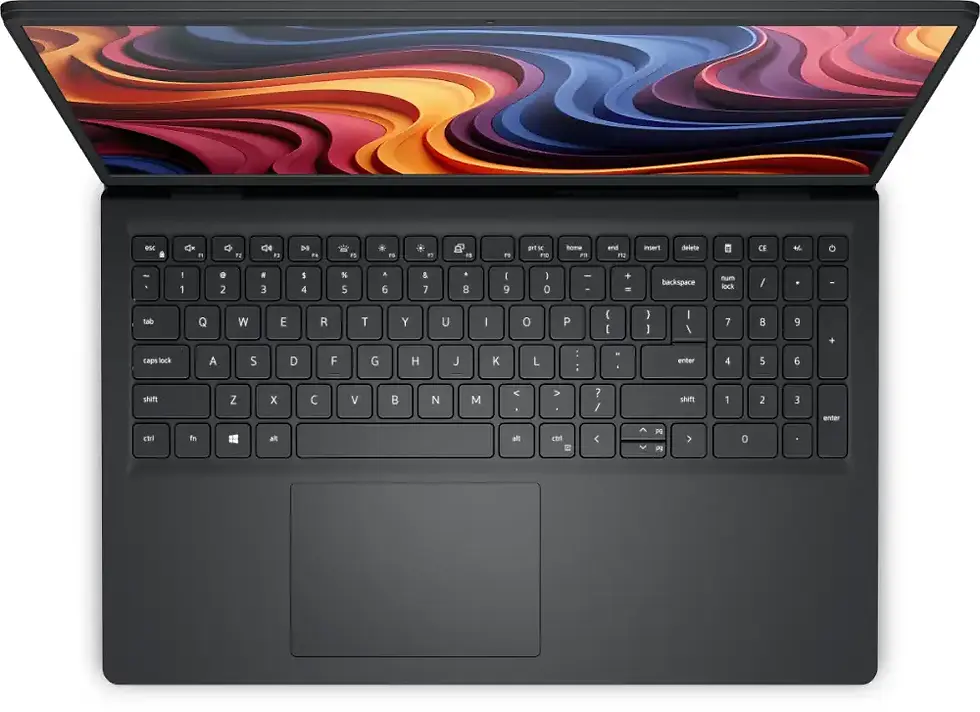
As remote and hybrid work continue to shape how we work in 2026, the laptop has become the core of the modern home office. But choosing the right one isn’t just about performance — it’s about comfort, reliability, battery life, screen quality, and how well it integrates into a professional workspace.
With hundreds of models available and rapidly changing technology, finding the ideal laptop can be overwhelming. This guide cuts through the noise and explains exactly which features matter, what performance level you really need, and how to choose the best laptop for productive, comfortable home office work in 2026.
What Makes a Laptop Great for Home Office Work?
Home office laptops need to balance portability with long-term comfort and dependable performance.
The ideal home office laptop in 2026 should offer:
fast performance for daily work
a high-quality display that’s comfortable for long hours
excellent battery life
reliable keyboard and trackpad
good webcam and microphone for meetings
strong connectivity for monitors and peripherals
Most importantly, it should integrate smoothly into a desk setup with a monitor, keyboard and mouse. If your home office work involves heavy multitasking, large spreadsheets, professional software or long workdays, choosing the right machine becomes even more important. For a curated selection of models built specifically for demanding productivity, see our guide to best laptops for multitasking and heavy office use in 2026.
1. Performance: Choosing the Right Processor (CPU)
For home office workflows, you need a CPU that can handle multitasking without slowing down.
Recommended CPUs for 2026:
Intel:
Core i5 13th/14th/15th Gen
Core i7 13th/14th/15th Gen
AMD:
Ryzen 5 5000–7000 Series
Ryzen 7 5000–7000 Series
Apple:
M2
M3 (best for long-term performance)
These processors allow smooth work with:
multiple browser tabs
office applications
spreadsheets
video conferencing
cloud-based tools
light creative work
2. RAM: How Much Do You Need?
RAM significantly affects multitasking speed.
16 GB → ideal for most home office users
8 GB → usable, but limiting for heavy multitasking (not recommended for long-term use)
32 GB → great for analysts, designers, developers and users with large spreadsheets
If budget allows, choose 16 GB minimum for a comfortable, lag-free experience.
3. Storage: SSD Quality Matters
Avoid HDD entirely — all modern laptops should have SSDs.
512 GB SSD → recommended (best balance)
256 GB SSD → acceptable for cloud-focused users
1 TB SSD → ideal for power users with large files
NVMe SSDs offer the best speed and responsiveness.
4. Display: The Most Important Factor for Long Workdays
Your screen directly affects eye comfort, posture and fatigue.
Choose these display features:
14” or 15” display (best balance for office use)
IPS or OLED panel
1920×1080 (FHD) or 2560×1600 (QHD)
Matte finish to reduce reflections
Brightness 300–500 nits
Avoid:
low-brightness displays
cheap TN panels
glossy panels without coatings
A good screen dramatically improves long-term comfort.
5. Battery Life & Efficiency
Home office laptops often switch between desk setups and other rooms — or even cafés.
Look for:
8–12 hours of real-world battery life
fast charging (50% in ~30 minutes preferred)
USB-C charging support
Apple M-series laptops excel here. Many modern Intel/AMD laptops also deliver excellent efficiency.
6. Webcam, Microphone & Speakers
Video calls are a major part of home office work.
Recommended:
1080p webcam
dual microphones
AI noise reduction
upward-facing speakers
If the laptop webcam is poor, users will feel forced to buy external cameras — unnecessary if you choose the right laptop.
7. Connectivity & Ports
Work-from-home setups rely on external devices.
Must-have ports:
USB-C (preferably with display output)
USB-A
HDMI or DisplayPort via USB-C
Headphone/mic combo jack
Optional but useful:
Thunderbolt (for fast data & advanced docking)
SD card reader (for creators)
Ethernet via adapter
Good connectivity ensures compatibility with monitors, docks, keyboards and mice.
8. Build Quality & Keyboard Comfort
A comfortable laptop should feel reliable and enjoyable to use.
Look for:
solid chassis
smooth, responsive keyboard
spacious trackpad
strong hinge
These features support long working hours and reduce hand fatigue.
Who These Laptops Are Perfect For
This guide is ideal for:
home office professionals
remote workers
hybrid employees
freelancers
students working from home
business users with productivity-focused workflows
multitaskers who need smooth performance
FAQ — Best Laptops for Home Office Work in 2026
1. What is the best laptop size for a home office?
14” and 15” screens offer the best balance of portability and comfort.
2. How much RAM do I need for home office tasks?
16 GB is the current sweet spot for productivity and multitasking.
3. Should I choose Intel, AMD or Apple?
All are excellent — choose based on your preferred software and ecosystem.
4. Can a budget laptop work well for home office tasks?
Yes, as long as it has 16 GB RAM and a good-quality display.
5. Is an external monitor recommended?
Absolutely. It greatly improves posture, comfort and productivity.






























Comments