
Creating the Ergonomic and Minimalist Workspace for Home or Office
Updated: Jan 16
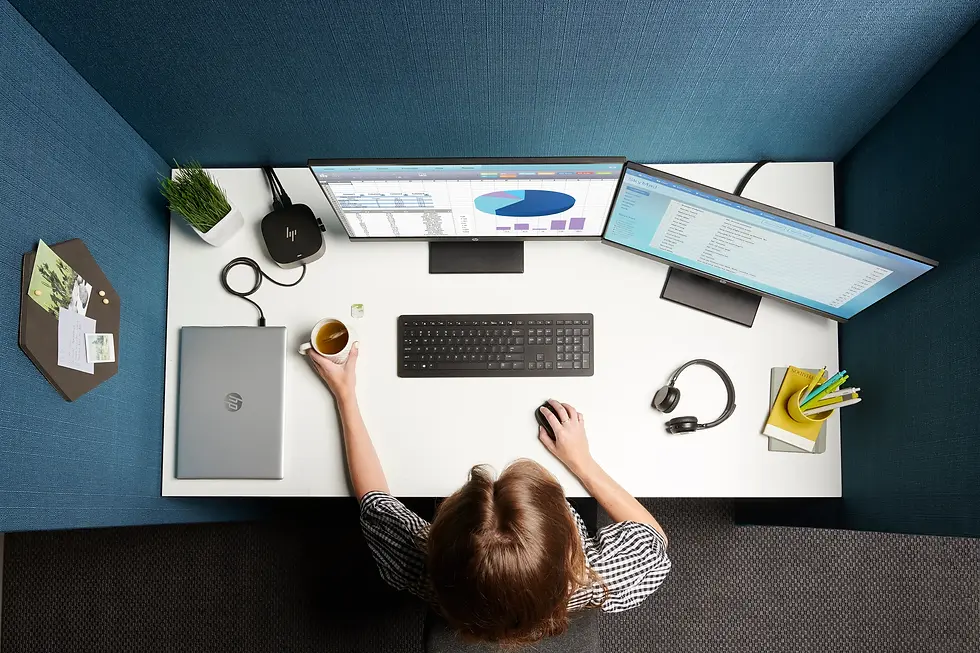
A well-designed workspace does more than look good. When ergonomics and minimalist design work together, they reduce physical strain, limit visual distractions, and make it easier to stay focused—whether you work from home, share an office, or use the space for creative projects and gaming.
This guide explains how to create an ergonomic and minimalist setup step by step: from choosing the right furniture and equipment to managing cables, storage, and lighting.
Why Combine Ergonomics and Minimalism?
Ergonomics focuses on supporting your body: posture, joint angles, movement, and comfort over long periods. Minimalism focuses on reducing clutter and unnecessary objects so your attention stays on what matters.
Together they help you:
Reduce back, neck, and wrist strain
Keep your desk surface clear and functional
Improve concentration and productivity
Make the room easier to clean and maintain
Create a calm visual environment that works for both work and relaxation
Step 1: Prioritise Ergonomic Essentials
Start by building a foundation that supports your body. These are the elements that have the greatest impact on comfort and long-term health.
Ergonomic Chair
Choose a chair with adjustable seat height, backrest, and armrests.
Look for lumbar support that follows the natural curve of your lower back.
Your feet should rest flat on the floor (or a footrest), with knees at roughly 90 degrees.
Height-Adjustable Desk
A height-adjustable desk lets you switch between sitting and standing, encouraging movement throughout the day. For a complete overview of features, frame types, and recommended models, see our Best Standing Desks for Home & Office in 2026 — Full Review.
When sitting, your elbows should be at about 90 degrees when typing.
When standing, the desk height should allow your forearms to rest parallel to the floor.
Leave enough depth for a monitor at a comfortable distance (usually 50–70 cm from your eyes).
Monitor Placement
The top of the screen should be at or slightly below eye level.
Keep the monitor directly in front of you to avoid twisting your neck.
Use a monitor arm or riser to fine-tune height and distance and to free desk space.
Keyboard and Mouse
Keep the keyboard close, so your elbows stay near your body.
Use a mouse that fits your hand size; avoid excessive wrist deviation.
Consider a low-profile or split keyboard to maintain neutral wrist angles.
A soft desk pad or wrist rest can help, but should not force the wrists to bend upwards.
Step 2: Apply Minimalist Design Principles
Once the ergonomic basics are in place, refine the space with minimalist design choices that support focus and organisation.
Reduce Visual Clutter
Keep only essential items on the desk: monitor, keyboard, mouse, and one or two frequently used tools.
Store stationery, documents, and accessories in drawers, shelves, or organisers instead of on the work surface.
Simple, Functional Furniture
Choose compact desks and storage with clean lines and neutral finishes.
Look for multi-functional pieces: for example, a monitor riser that also serves as a small shelf.
Use closed storage (drawers, cabinets) for items you don’t need to see every day.
Consistent Color Palette
Stick to a small set of colors: neutrals (white, black, grey) plus one or two accent tones.
Avoid overly bright or contrasting patterns on large surfaces—they can be visually tiring.
Natural materials like wood, cork, or fabric add warmth without visual noise.
Step 3: Cable Management and Accessories
Cables and small devices can quickly break the minimalist feel of an otherwise clean setup. Choosing the right accessories makes a major difference, which is why we’ve broken down the most effective options in Best Desk Accessories for Productivity in 2026.
Cable Management
Use cable trays, clips, under-desk channels, or Velcro straps to route cables along the desk underside and legs.
Combine multiple device chargers into a single power strip or docking station.
Keep one “charging zone” instead of scattering chargers around the room.
Practical Accessories
Desk organisers for pens, notebooks, and small items
Laptop stand if you use a notebook as your main machine
Document holder if you work with printed materials regularly
If an accessory doesn’t improve comfort, productivity, or organisation, consider leaving it out.
Step 4: Lighting and Atmosphere
Lighting strongly affects eye comfort and mood.
Task and Ambient Lighting
Position your main light source so it doesn’t cause glare on the screen.
Use a desk lamp with adjustable brightness and colour temperature for close work.
For screens, slightly warmer and softer light in the evening helps reduce eye strain.
Natural Light
If possible, place the desk perpendicular to a window to avoid direct glare.
Use blinds or curtains to control reflections during bright hours.
Subtle ambient lighting—such as a floor lamp or LED strip behind the monitor—can add depth without dominating the space.
Step 5: Maintaining a Minimalist and Ergonomic Workspace
A well-designed workspace only stays that way with simple daily habits.
End each day by clearing the desk surface and returning items to their places.
Regularly review what’s on or around your desk and remove devices or accessories you no longer use.
Adjust chair, desk, and monitor height if your tasks or equipment change.
Take short breaks every 45–60 minutes to stand up, stretch, or walk briefly.
Example Layouts for Different Spaces
Small Home Office Corner
Compact standing desk (or frame with small top)
One monitor on an adjustable arm
Slim ergonomic chair
Wall-mounted shelf above the desk for storage
Single floor lamp or wall light to save surface space
Dedicated Office or Gaming Room
Larger height-adjustable desk with room for dual monitors
Ergonomic chair with headrest
Monitor arms to free desk depth
Cable tray with under-desk power strip
Combination of task lighting and subtle coloured ambient lighting
Conclusion
An ergonomic and minimalist workspace doesn’t require complex design—only clear priorities. Start with furniture that supports your posture, arrange your equipment at the correct heights and distances, then remove anything that doesn’t serve a functional purpose. Add lighting and a few carefully chosen personal details, and you’ll have a space that feels calm, efficient, and comfortable for both work and leisure.
If you are looking for adjustable desks, monitor arms, or other ergonomic components to build such a setup, specialist suppliers like Standesk.eu offer hardware designed specifically for modern home and office workspaces.
FAQ: Ergonomic and Minimalist Workspaces
1. Do I need a standing desk to have an ergonomic workspace?
Not necessarily, but a height-adjustable desk makes it much easier to alternate between sitting and standing, which helps reduce discomfort from staying in one position. If a standing desk is not an option, focus on chair adjustment, monitor placement, and regular movement breaks.
2. How can I keep my desk minimalist if I work with a lot of equipment?
Group items by function and store what you don’t use constantly in drawers, shelves, or storage boxes. Use a single docking station or hub to connect multiple devices, and rely on cable management under the desk to keep surfaces visually clear.
3. What is the ideal monitor distance and height?
For most people, the ideal distance is 50–70 cm from the eyes, with the top of the screen at or slightly below eye level. You should be able to read text comfortably without leaning forward.
4. How many hours per day should I stand at a height-adjustable desk?
A common recommendation is to aim for 1–3 hours of standing spread throughout the day, rotating between sitting and standing in blocks of 20–40 minutes. The goal is variation, not standing all day.
5. Can minimalist design negatively affect ergonomics?
It can if minimalism is taken to mean “fewer items at any cost”. Removing an ergonomic chair, monitor arm, or wrist support just to keep the desk visually empty can increase strain. Minimalism should reduce unnecessary objects, not essential ergonomic tools.
6. How often should I reassess my workspace setup?
Re-evaluate your workspace whenever you change your primary device (new monitor, laptop, or chair), move to a new room, or notice recurring discomfort. Even small adjustments in height or distance can make a significant difference.






























Comments