
Podcast Setup Guide 2026 — Microphones, Interfaces & Accessories Explained
Updated: Dec 22, 2025
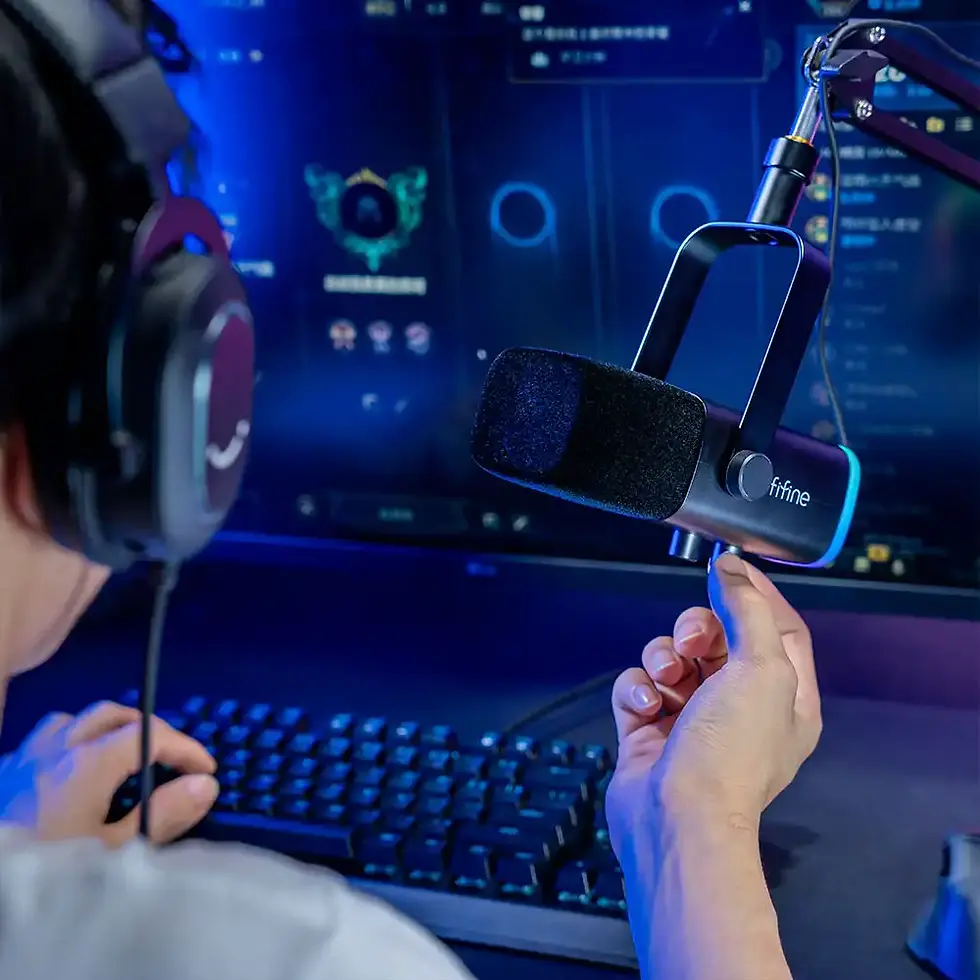
Starting a podcast in 2026 is easier than ever — but building a setup that sounds professional still requires smart decisions. With so many microphones, interfaces, accessories and desk setups available, it’s easy to get lost in technical details or overspend on equipment you don’t actually need.
This guide explains everything you need to know to build a clean, reliable podcast setup, whether you’re recording solo episodes, interviews, or long-form conversations from a home office. No jargon, no unnecessary gear — just practical advice that works.
What Makes a Good Podcast Setup in 2026
A modern podcast setup should be:
easy to use
reliable and stable
scalable for future upgrades
suitable for home or office environments
comfortable for long recording sessions
The goal is clear, consistent audio, not a complicated studio.
1. Choosing the Right Podcast Microphone
The microphone is the most important part of your setup.
If you want a curated overview of microphones that work best for podcasting, streaming, and home office setups, see our guide to best podcast microphones & equipment for beginners.
USB Microphones — Best for Most Podcasters
USB microphones remain the most popular choice in 2026.
Why they work so well:
plug-and-play simplicity
no audio interface required
excellent sound quality in modern models
minimal cables and desk clutter
ideal for home offices
For solo podcasters and beginners, USB microphones are often the smartest choice.
XLR Microphones — For Advanced & Multi-Person Setups
XLR microphones require an audio interface or mixer.
Best for:
multi-mic podcast setups
in-person interviews
users who want maximum control and future expandability
They offer flexibility, but also increase complexity and cost.
2. Understanding Polar Patterns
Polar patterns define how a microphone picks up sound.
Most common patterns:
Cardioid — captures sound from the front, rejects room noise (best choice)
Omnidirectional — captures sound from all directions (group recordings)
Bidirectional — captures sound from front and back (interviews)
👉 For most podcasts, cardioid is the ideal pattern.
3. Do You Need an Audio Interface?
You do NOT need an interface if:
you use a USB microphone
you record solo or remote interviews
you want a simple setup
You SHOULD consider an interface if:
you use XLR microphones
you record multiple people locally
you want physical gain controls and monitoring
Interfaces add flexibility, but they’re optional for many podcasters.
4. Essential Podcast Accessories
A microphone alone isn’t enough for great sound.
Microphone Arm or Stand
A good mic arm:
improves mic positioning
reduces desk vibrations
keeps your workspace clean
allows consistent mic distance
Desk-mounted arms are ideal for podcasting and streaming.
Pop Filter or Foam Windshield
These reduce harsh “P” and “B” sounds and make speech smoother and more pleasant.
Headphones
Closed-back headphones are best for podcasting.
They allow you to:
monitor your voice
detect background noise
avoid audio feedback
Shock Mount (Optional)
Shock mounts isolate the microphone from desk vibrations and typing noise.
5. Desk Setup & Microphone Placement
Even the best microphone can sound bad if positioned incorrectly.
Best practices:
place the mic 15–20 cm from your mouth
speak slightly past the microphone, not directly into it
keep the mic off the desk surface
maintain consistent distance while speaking
Correct placement often matters more than expensive gear.
6. Room Acoustics — Simple Improvements That Work
You don’t need a soundproof room.
Easy improvements:
record in a quiet room
avoid empty rooms with hard walls
add curtains, rugs or shelves
reduce echo with soft materials
turn off unnecessary devices
These small changes dramatically improve audio quality.
7. Recording Software (Brief Overview)
Most podcasters use:
simple recording apps
browser-based tools
audio editing software for post-production
Choose software that’s:
stable
easy to use
compatible with your microphone
Software matters less than microphone quality and placement.
Beginner vs Advanced Podcast Setup
Beginner Setup
USB microphone
mic arm or stand
pop filter
headphones
Advanced Setup
XLR microphones
audio interface or mixer
mic arms
shock mounts
multiple headphones
Start simple — upgrade only when needed.
Common Podcast Setup Mistakes
Avoid:
buying too much gear too early
ignoring room acoustics
placing the mic too far away
choosing XLR without an interface
cluttered desk setups
Simple, clean setups usually sound better.
Podcast Setup Checklist (2026)
A great podcast setup includes:
✔ microphone with cardioid pattern✔ USB or XLR connection (based on needs)✔ stable mic arm or stand✔ pop filter or foam cover✔ closed-back headphones✔ quiet recording environment✔ proper mic placement
If you have these, you’re ready to record confidently.
FAQ — Podcast Setup Guide 2026
1. Can I start a podcast with a USB microphone?
Yes. Many successful podcasts use USB microphones with excellent results.
2. Do I need acoustic foam?
No. Soft furnishings often work just as well.
3. How much should a podcast setup cost?
A solid setup can be built affordably without sacrificing sound quality.
4. Is a mic arm really necessary?
Highly recommended. It improves sound and desk ergonomics.
5. Can I upgrade later?
Yes. Most podcasters start simple and expand as needed.






























Comments