
Webcam vs Mirrorless Camera for Video Calls & Streaming (2026)
Updated: Dec 22, 2025
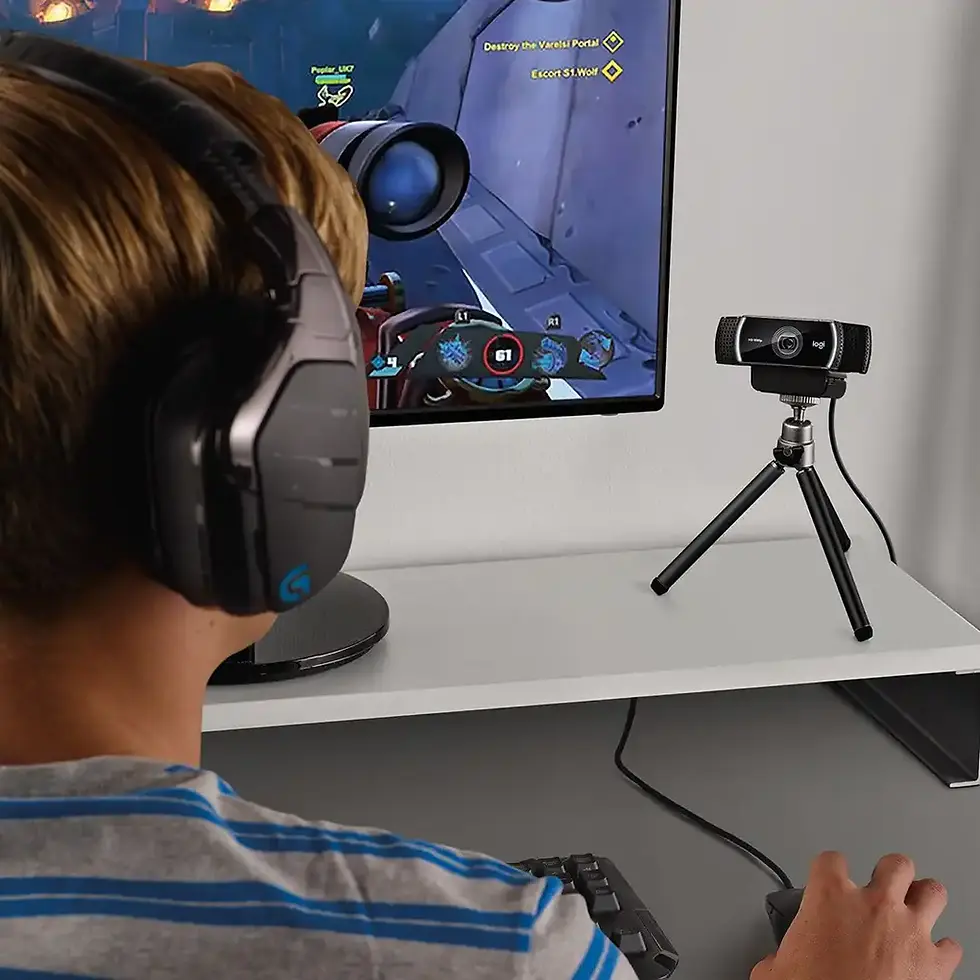
As remote work, online meetings and content creation continue to grow, more people are asking the same question in 2026: Is a webcam enough, or is it worth using a mirrorless camera for video calls and streaming?
Both options can deliver excellent results, but they serve very different needs. This guide breaks down the real differences, helps you avoid unnecessary spending, and shows which setup makes sense for your home office or streaming workflow.
What’s the Real Difference Between a Webcam and a Mirrorless Camera?
The main difference isn’t just image quality — it’s complexity, flexibility and purpose.
Webcams are designed for video calls and desktop use
Mirrorless cameras are designed for photography and video production
Both can be used for calls and streaming, but the experience is very different.
Webcams — Simple, Reliable & Purpose-Built
Modern webcams are optimized specifically for online communication.
Advantages of Webcams
Plug-and-play setup
No extra hardware required
Automatic exposure and focus
Stable performance in long calls
Compact and desk-friendly
Affordable and energy-efficient
For most professionals, webcams deliver the best balance of quality and simplicity.
Limitations of Webcams
Smaller sensors
Limited background blur
Less cinematic image
Fewer manual controls
Despite this, high-quality webcams already look very professional for meetings and everyday streaming.
Mirrorless Cameras — Maximum Image Quality & Control
Mirrorless cameras offer superior hardware and flexibility.
Advantages of Mirrorless Cameras
Large sensors
Shallow depth of field (background blur)
Excellent low-light performance
Interchangeable lenses
Manual exposure and color control
They produce a cinematic look that stands out, especially for content creation.
Limitations of Mirrorless Cameras
Require capture cards or software
More cables and setup complexity
Higher cost
Heat management considerations
Larger physical footprint on the desk
For video calls, this level of complexity is often unnecessary.
Image Quality — Does It Matter for Video Calls?
For most video calls:
webcams already look sharp and clear
stable framing beats cinematic background blur
Mirrorless cameras shine when:
you record content
stream professionally
want maximum visual impact
For daily work calls, the difference is often not worth the extra effort.
Desk Setup & Ergonomics
Webcam Setup
mounts easily on monitor using proper webcam mounts or desk arms
minimal cables
clean, uncluttered desk
Mirrorless Camera Setup
tripod or desk arm required
capture card or USB connection
additional power and cables
If you value a clean, ergonomic workspace, webcams integrate far more naturally.
Reliability for Long Calls
Webcams are built to run for hours without issues.
Mirrorless cameras may require:
continuous power
heat management
firmware settings
For long meetings and daily calls, webcams are usually more reliable.
Cost Comparison
Setup | Typical Cost |
Webcam setup | Low to moderate |
Mirrorless camera + accessories | High |
Mirrorless setups often require:
camera body
lens
capture card
mount or tripod
power solution
The total cost can be several times higher than a webcam.
Who Should Choose a Webcam?
Choose a webcam if you:
work remotely
attend frequent video calls
want a simple setup
value reliability
prefer a clean desk
don’t want technical complexity
For most users, a webcam is the smartest choice.
Who Should Choose a Mirrorless Camera?
Choose a mirrorless camera if you:
create video content regularly
stream professionally
want cinematic image quality
are comfortable with complex setups
already own a camera
Mirrorless cameras shine in creator-focused workflows.
Webcam vs Mirrorless — Final Verdict (2026)
👉 Webcams win for professional video calls and home offices: They are simpler, cleaner and more reliable.
👉 Mirrorless cameras are best for creators and streamers: They deliver unmatched image quality, but at higher cost and complexity.
Choose based on how you work, not on what looks impressive.
FAQ — Webcam vs Mirrorless Camera
1. Do mirrorless cameras look better than webcams?
Yes, especially in low light and with background blur, but the difference is less noticeable in standard video calls.
2. Is a webcam enough for professional meetings?
Absolutely. A good webcam with proper lighting looks professional and clear.
3. Do I need a capture card for a mirrorless camera?
In most cases, yes. This adds cost and setup complexity.
4. Are webcams more reliable for daily use?
Yes. Webcams are designed to run for long periods without overheating.
5. Which setup is better for a clean desk?
Webcams, by far. They require fewer accessories and cables.






























Comments