
Why Expensive Gaming Mice Still Feel Bad — 9 Setup Mistakes Players Make (2026)

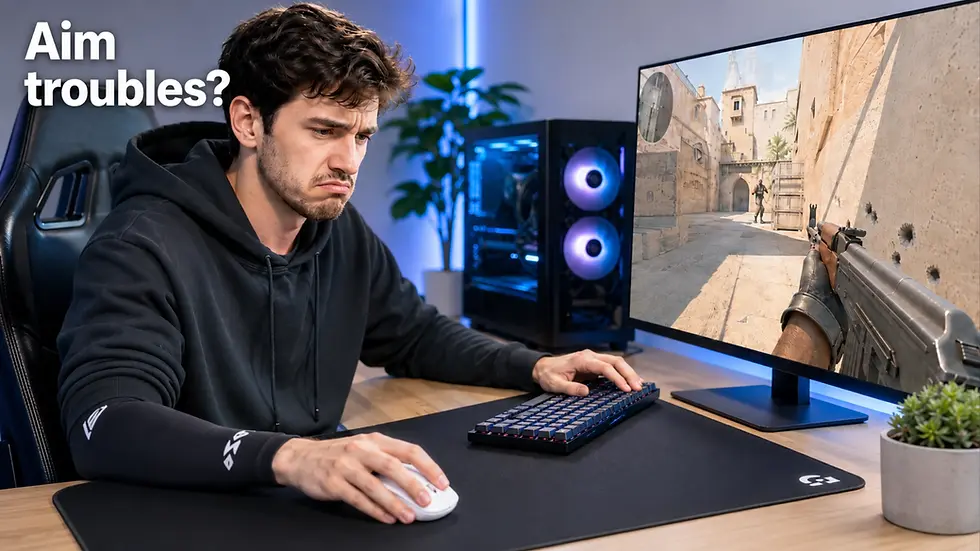
You bought an expensive gaming mouse.
The sensor is flawless. The latency is near zero. Reviews are excellent.
But your aim still feels inconsistent.
One day your tracking feels sharp and controlled. The next day everything feels muddy, shaky, slow, or unstable — even in the same game.
Most players blame their mechanics.
Usually, the real problem is the setup around the mouse.
Modern FPS performance depends on the entire movement chain:
mouse shape
weight
skates
mousepad
desk height
posture
friction consistency
arm support
A €150 gaming mouse on a bad setup can feel worse than a €60 mouse on a properly optimized desk.
This guide explains the real reasons expensive gaming mice still feel bad in 2026 — and how to actually fix them.
TL;DR
If your gaming mouse feels inconsistent:
your mouse shape may not match your grip
your mousepad may have uneven friction
your skates may be worn out
your desk height may be wrong
your setup posture may create instability
your mouse weight may not match your sensitivity
your settings may constantly change
Most players do not need another mouse. They need a more consistent setup.
A premium mouse can still feel inconsistent if the pad, desk height, arm position or skates are wrong. For a deeper setup diagnosis, read our guide on why your FPS aim feels different every day
Quick Diagnostic Table
Problem | Common Symptom | Most Likely Fix |
Muddy glide | Mouse suddenly feels slow | Replace or clean mousepad |
Scratchy movement | Inconsistent resistance | Replace PTFE skates |
Overshooting targets | Mouse feels “too fast” | Increase weight or lower sensitivity |
Shaky micro-adjustments | Crosshair vibrates | Improve arm support and desk height |
Hand fatigue | Aim worse after 1 hour | Wrong shape or posture |
Different aim every day | Inconsistent glide conditions | Stable pad + stable settings |
Wrist pain | Tension during tracking | Ergonomic setup correction |
1. Your Mouse Shape Does Not Match Your Grip
Most players focus too much on specs.
Shape matters more than sensor, polling rate, or DPI.
If you are unsure whether your hand position is palm, claw or fingertip, read our How To Choose The Right Gaming Mouse Grip: Palm vs Claw vs Fingertip (2026 Guide) before choosing another model.
A wrong shape creates:
unstable grip pressure
inconsistent finger placement
tension during tracking
shaky micro-corrections
fatigue during long sessions
This is one of the biggest reasons expensive gaming mice still feel bad.
Shape Matters More Than Raw Specs
A modern 2026 gaming mouse already has:
flawless sensor tracking
near-zero latency
excellent click response
But if the shape fights your natural grip, your aim consistency suffers immediately.
Grip Style Matters
Fingertip Grip
Best with:
ultra-light mice
narrow waist
low hump
Usually preferred for:
fast flick-heavy gameplay
aggressive tracking
high mobility aim
Examples:
Claw Grip
Best with:
rear hump support
balanced weight
medium-width shells
Usually preferred for:
CS2
Valorant
tactical shooters
Examples:
Pulsar X2
Logitech G Pro X Superlight 2
Razer Viper V2 Pro
Palm Grip
Best with:
ergonomic curves
fuller body
more stability
Usually preferred for:
lower sensitivity players
comfort-focused setups
long gaming sessions
Examples:
ergonomic right-handed FPS mice
larger asymmetric designs
Sensor Position Also Matters
Modern enthusiasts increasingly pay attention to sensor placement.
Forward-positioned sensors can:
increase perceived flick speed
feel more reactive
reduce arm movement distance
But they may also feel jittery for some players.
Centered sensors usually feel more balanced and predictable.
Consistency matters more than hype.
If your mouse constantly feels “off,” shape mismatch is often the real reason.
What To Do
Before buying another expensive mouse:
identify your grip style
identify your hand size
test whether your fingers naturally relax on the shell
stop chasing specs alone
Sometimes changing shape improves aim more than upgrading sensors.
If the issue is shape or grip fit, compare different gaming mice and PC accessories by weight, shell size and grip compatibility before buying another mouse.
2. Gaming Mice Weight Does Not Match Your Sensitivity
The “lighter is always better” trend is heavily exaggerated.
Ultra-light gaming mice can feel incredible for some players — and terrible for others.
Ultra-Light Gaming Mice (<40g)
Modern ultra-light mice now reach:
35g
36g
38g
39g
Examples include:
certain Pulsar models
lightweight Lamzu Paro Aurora variant
These mice are designed for:
low sensitivity arm aim
extremely fast flicking
reduced fatigue during long sessions
But ultra-light mice can also create:
micro-jitters
overshooting
unstable tracking
poor stopping power
Especially for:
high sensitivity players
tense grip users
inexperienced FPS players
Balanced Weight (50–70g)
This is still the safest range for most competitive FPS players.
Why? Because it balances:
speed
stopping power
control
stability
This range dominates:
CS2
Valorant
tactical FPS environments
Heavier Mice (75g+)
Heavier mice can actually improve consistency for:
palm grip users
higher sensitivity players
tracking-focused aimers
players who overflick frequently
Heavier does not automatically mean worse.
The goal is not the lightest mouse.
The goal is repeatable control.
For a deeper breakdown of ultra-light, balanced and heavier models, see our gaming mouse weight guide.
General Weight Recommendations
Playstyle | Recommended Weight |
Competitive low-sens FPS | 35–60g |
Balanced tactical FPS | 50–70g |
Casual mixed gaming | 70–90g |
High sensitivity control | 75g+ |
If your crosshair constantly overshoots targets, your mouse may simply be too light for your sensitivity.
For a deeper breakdown of ultra-light, balanced and heavier models, see our gaming mouse weight guide.
A premium mouse works best when the mousepad, skates, desk height and cable or wireless setup are matched around it. For a complete buying and setup framework, read the best FPS gaming mouse setup guide.
3. Your Mousepad Is Destroying Your Aim
This is one of the most ignored setup problems in FPS gaming.
Many players spend €150 on a mouse while using:
dirty pads
worn surfaces
inconsistent cloth textures
humidity-damaged glide
Mousepads dramatically affect:
stopping power
speed
tracking consistency
friction repeatability
The “Muddy Pad” Problem
Cloth pads absorb:
humidity
sweat
skin oils
dust
This changes friction throughout the day.
Symptoms:
inconsistent glide
“slow spots”
heavy feeling
random tracking inconsistency
Many players think their aim got worse.
Actually, their mousepad changed.
2026 Trend: More Players Moving To Hybrid & Glass Pads
Modern competitive players increasingly prefer:
hybrid surfaces
coated surfaces
glass mousepads
Why? Because they remain more consistent across humidity changes.
Traditional cloth pads behave differently depending on environment.
Glass surfaces remain almost identical daily.
Mousepad Surface Types
Cloth Pads
Best for:
stopping power
control
tactical shooters
Downside:
humidity-sensitive
wears over time
Hybrid Pads
Best balance between:
speed
consistency
control
Increasingly popular in modern FPS setups.
Glass Pads
Best for:
maximum speed
consistency
low friction
Popular among:
tracking-heavy players
Apex Legends players
Overwatch players
But glass pads require adaptation.
What To Do
If your aim feels inconsistent:
clean your mousepad first
test glide consistency
compare morning vs evening feel
replace old cloth pads if needed
Sometimes a new pad improves aim more than a new mouse.
If glide consistency is the problem, browse PC peripherals for gaming setups and compare mousepads, skates and related accessories that affect friction and control.
4. Your Mouse Skates Are Worn Out
Many players never replace skates.
This is a huge mistake.
PTFE skates wear down over time and create:
uneven friction
scratchy movement
unstable stopping power
inconsistent tracking
Signs Your Skates Are Worn
scratchy feeling
resistance changes
edges feel sharp
mouse sounds rough on pad
glide feels inconsistent
Modern 2026 Recommendation
High-quality PTFE skates remain the standard.
Popular enthusiast options:
Corepad
Tiger Ice V2
aftermarket pure PTFE sets
Glass skates exist, but many competitive players still prefer PTFE for better stopping control.
What To Do
Replace skates every:
6–12 months for heavy use
earlier if glide changes noticeably
Fresh skates often make old mice feel new again.
5. Your Desk Height Is Wrong
This is one of the biggest hidden FPS consistency killers.
Bad desk height creates:
shoulder tension
unstable wrist angles
inconsistent arm movement
tracking fatigue
Correct FPS Desk Position
Ideal setup:
elbows roughly 90–100°
shoulders relaxed
forearms supported
wrists neutral
If your desk is too high:
shoulders tense up
aim becomes shaky
If your desk is too low:
wrists collapse inward
tracking loses stability
Why Height-Adjustable Desks Matter For FPS
Competitive players increasingly use height-adjustable desks because:
different games benefit from different arm positions
posture changes during long sessions
arm support directly affects consistency
A stable arm position improves:
muscle memory
repeatability
tracking smoothness
This is especially important for low-sensitivity FPS players using large arm movements.
6. Your Chair and Posture Create Instability
Even perfect gear feels bad with poor posture.
Bad seating creates:
uneven shoulder pressure
unstable elbow positioning
wrist tension
inconsistent tracking paths
Common Signs
aim worsens after 1 hour
shoulder fatigue
wrist pain
leaning sideways during matches
constantly repositioning yourself
Good FPS Ergonomics
Your body should feel:
relaxed
repeatable
stable
Good posture improves consistency more than many hardware upgrades.
This is why competitive setups increasingly focus on:
ergonomic chairs
forearm support
adjustable desks
stable seating angles
7. You Constantly Change Your Settings
Many players destroy consistency themselves.
They constantly:
change DPI
switch sensitivity
change skates
change pads
swap mice weekly
Muscle memory needs consistency.
The Real Problem
Players confuse:
temporary discomfort
with
bad hardware
Every setup requires adaptation.
Even top-tier gear feels strange initially.
What To Do
Once you find a setup that feels mostly correct:
keep it stable
avoid unnecessary changes
allow adaptation time
Constant tweaking creates inconsistent aim.
8. Your Arm Sticks To The Mousepad
This problem became much more common in modern FPS gaming.
Especially among:
low-sensitivity players
sleeve-less users
humid environments
Skin friction creates:
drag inconsistency
uneven arm movement
tracking instability
Why Gaming Sleeves Became Popular
Gaming sleeves help:
reduce friction
stabilize arm movement
prevent sweat drag
maintain repeatable glide
They are now common even outside professional esports.
For many players, sleeves improve consistency immediately.
9. You Expect Hardware To Replace Practice
No setup can replace mechanics.
But bad setups absolutely can reduce consistency.
The goal is not: “buying aim.”
The goal is removing unnecessary variables.
A stable setup allows:
cleaner muscle memory
more repeatable tracking
fewer inconsistent sessions
The best players usually optimize:
posture
surface consistency
ergonomics
friction
before chasing hype products.
Best Fix Order: What To Upgrade First
Before buying another expensive gaming mouse, diagnose the setup first.
Step | Check First | Why It Matters | Typical Fix |
1 | Mousepad condition | Uneven glide destroys consistency | Clean or replace pad |
2 | Mouse skates | Worn skates create friction instability | Replace PTFE skates |
3 | Mouse shape | Wrong grip fit ruins control | Match shape to grip |
4 | Mouse weight | Wrong balance affects stopping power | Match weight to sensitivity |
5 | Desk height | Bad posture creates shaky tracking | Adjust desk/chair |
6 | Arm friction | Skin drag changes movement | Use sleeve |
7 | Settings changes | Constant tweaking ruins muscle memory | Keep setup stable |
Build a More Consistent FPS Setup
A strong FPS setup combines the right mouse, mousepad, skates, sleeve, desk height and posture. Start by comparing gaming mice and PC accessories, then complete the setup with matching PC peripherals for gaming setups.
Once you know the setup problem, use our best FPS gaming mouse guide to choose a model by grip, weight and playstyle.
The best FPS setups are ecosystems — not isolated products.
A strong setup combines:
correct mouse shape
proper weight
stable skates
consistent mousepad surface
correct desk height
proper chair posture
repeatable arm movement
If your expensive gaming mouse still feels bad, the problem is usually somewhere in that chain.
Fixing the setup around the mouse often improves aim more than replacing the mouse itself.
Once you know the setup problem, use our best FPS gaming mouse guide to choose a model by grip, weight and playstyle.
FAQ
Why does my expensive gaming mouse still feel bad?
Usually because of:
wrong shape
inconsistent mousepad friction
worn skates
incorrect desk height
posture instability
wrong weight for your sensitivity
Modern gaming mice already have excellent sensors. The surrounding setup matters more than most players realize.
Can a mousepad really affect aim?
Yes.
Mousepads affect:
friction
stopping power
glide consistency
tracking stability
A worn or humidity-sensitive pad can make aim feel inconsistent even with a top-tier mouse.
Are ultra-light mice always better?
No.
Ultra-light mice are best for:
low sensitivity
fast arm aiming
aggressive flicking
But they may feel unstable for:
high sensitivity users
tense grip players
players needing stronger stopping power
How often should mouse skates be replaced?
Usually every:
6–12 months for heavy FPS use
sooner if glide becomes scratchy or inconsistent
Why do pro players use gaming sleeves?
To reduce:
sweat friction
skin drag
arm sticking
This creates more consistent arm movement.
Does desk height affect FPS aim?
Absolutely.
Desk height changes:
elbow angle
shoulder tension
wrist position
tracking stability
Bad desk ergonomics directly reduce consistency.
What matters more: shape or sensor?
In 2026, shape matters more for most players.
Modern sensors are already excellent.
But a wrong shape creates:
unstable grip
tension
fatigue
inconsistent aim
Should I replace my mouse first?
Usually no.
First check:
mousepad
skates
desk posture
grip compatibility
Many players solve their inconsistency without replacing the mouse.
Are glass mousepads worth it?
For some players, yes.
Glass pads provide:
extremely consistent glide
humidity resistance
high speed
But they also require adaptation and may reduce stopping control for some tactical FPS players.
Why does my aim feel different every day?
Usually because:
humidity changes pad friction
posture changes slightly
fatigue changes grip pressure
setup variables are inconsistent
Stable environments create stable aim.
































Comments